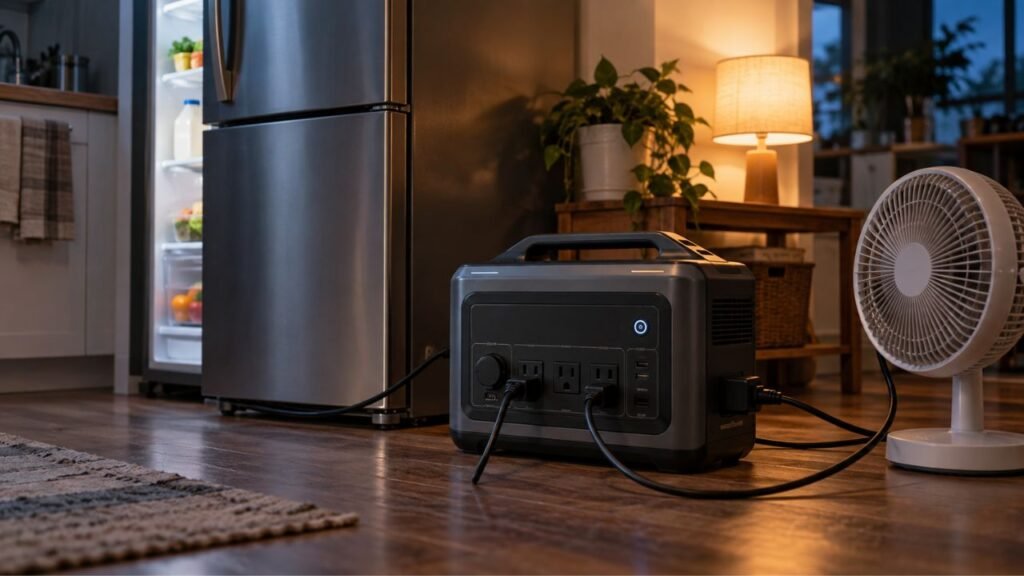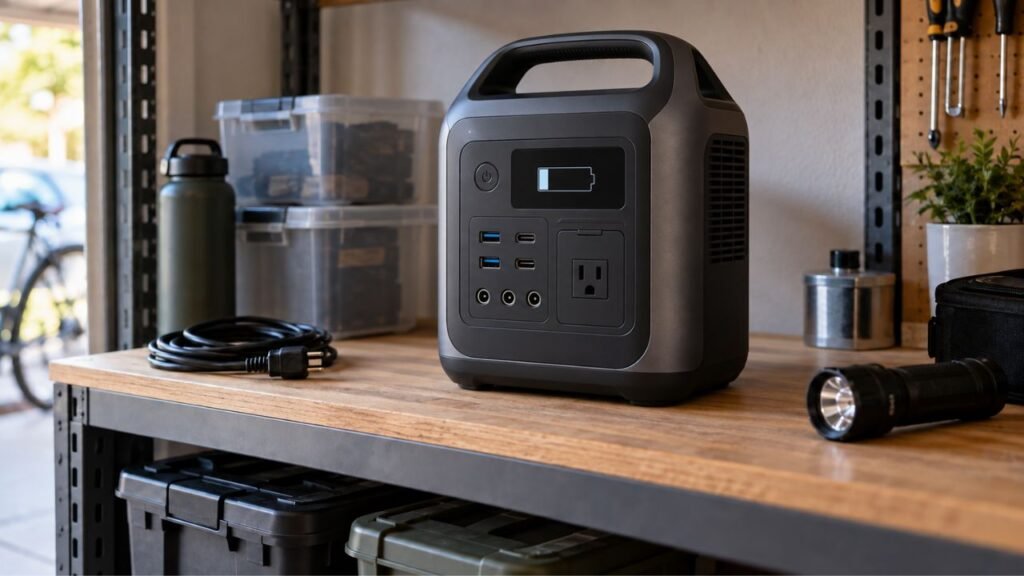
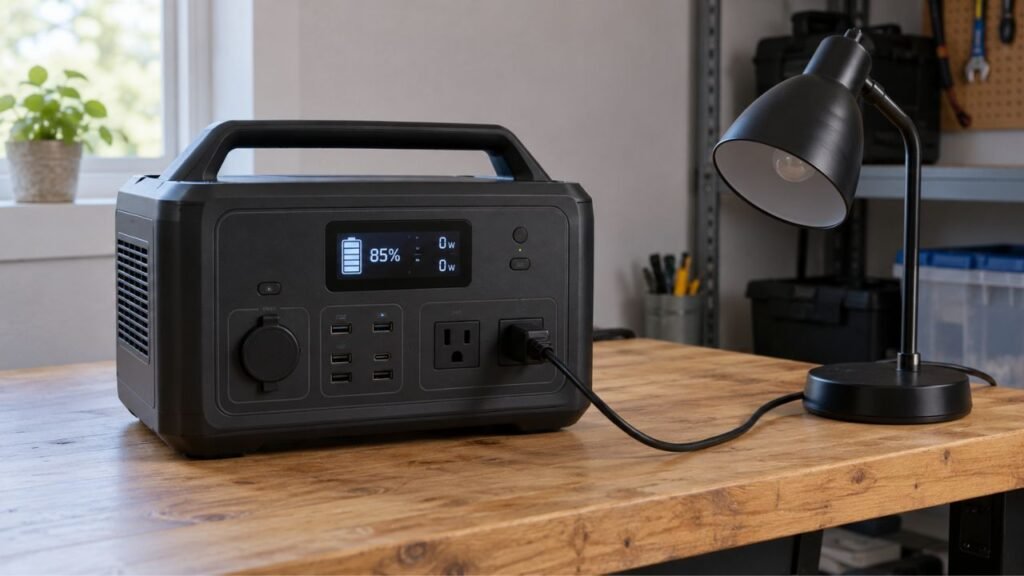
Your portable power station may show power but provide no output because the AC or DC output is disabled, a protection system has activated, ECO mode has shut down the ports, or the connected device is causing an overload. Low battery voltage, temperature protection, faulty cables, and internal inverter problems can also cause this issue.
The good news is that a working display gives us useful clues. I’ll walk you through the safest checks first, then help you decide whether the problem involves AC, DC, USB, or an internal component.
Key Takeaways
- A working screen does not guarantee the output ports are active.
- AC, DC, and USB outputs can operate independently.
- Check output buttons and settings before assuming hardware failure.
- Test the station using one known-good, low-power device.
- Overloads and startup surges can instantly disable AC output.
- ECO mode may shut down ports when power demand stays low.
- Extreme temperatures can temporarily stop power delivery.
- Persistent output failure may indicate an inverter or control-board problem.
First, Confirm What “No Output” Actually Means
Before changing settings or resetting anything, identify exactly what stopped working. The pattern can quickly narrow down where the problem is located.
| What You See | What Still Works | What to Check First | First Safe Step |
| Display works, AC outlets do not | USB and DC work | AC button, ECO mode, inverter protection | Enable AC and test a small load |
| USB ports do not charge | AC works | Cable, port, charging compatibility | Try another cable and device |
| DC outlet does not work | AC or USB works | DC button or DC protection | Enable DC and remove other loads |
| Every output is dead | Only display works | Battery, settings, BMS, protection mode | Disconnect everything and inspect warnings |
| Output starts then stops | Display remains on | Overload, surge, heat, ECO mode | Retest using a smaller device |
| Screen shows 0W | Device still operates | Display measurement threshold | Verify whether the device actually works |
The main point here is simple. Do not treat every no-output problem as an inverter failure.
If USB works but AC does not, focus on the AC side. If everything stops working, investigate broader protection or battery conditions.
Why Can the Screen Work When the Power Station Has No Output?
A portable power station contains several separate electrical systems. The screen requires very little energy compared with the AC inverter.
Your battery stores DC electricity inside the station. The inverter converts that electricity into household-style AC power.
USB ports and 12V outputs usually use different circuits. The display and control electronics also operate separately.
That means the screen can remain perfectly normal while another circuit stops working.
You might see a 70% battery reading, working Bluetooth connection, and normal menus. Yet the AC outlets may still provide absolutely no electricity.
So, a working display tells us the station has some power. It does not prove every output system is working.
Check Whether the Correct Output Is Actually Turned On
This sounds obvious, but it causes plenty of confusion. Many power stations have separate controls for different output groups.
Make Sure the AC Output Is Enabled
Turning on the main power station may not activate its AC outlets.
Look for an AC button near the household outlets. Press it using the normal procedure for your model.
Then check the display for an AC icon or indicator.
Some stations also control AC output through their mobile applications.
If the screen works but the AC symbol stays off, the outlets may simply be disabled.
Make Sure the DC Output Is Enabled
The 12V car-style socket may also have its own control.
Look for a button marked DC, 12V, or something similar.
Activate that output before testing your device again.
Do not assume the DC port automatically activates with the station.
Check USB Output Controls
USB ports behave differently between brands and models.
Some ports activate automatically when a device connects. Others depend on a main DC or USB output setting.
Check your display and application settings if USB suddenly stops working.
Check ECO Mode, Sleep Mode, and Automatic Output Shutoff
Power-saving features can make a healthy power station appear broken. These settings intentionally disable outputs under certain conditions.
ECO mode usually watches how much electricity connected devices are using. If demand stays extremely low, the station may shut down that output.
Common clues include:
- Small chargers stop working after some time.
- The AC outlet works initially, then switches off.
- A low-power device cannot keep AC output active.
- Manually reactivating AC temporarily fixes the problem.
- Disabling ECO mode prevents the shutdown.
Sleep timers can create similar behavior.
Some power stations allow you to choose how long AC remains active without a meaningful load.
Check the station’s settings or connected application.
Do not rely on one universal ECO-mode threshold. Manufacturers use different wattage limits and timing rules.
Make Sure 0W on the Display Really Means No Power
Seeing “0W” can immediately make you think something has failed. However, 0W does not always mean the outlet is completely dead.
Portable power stations measure output using internal sensors. Very small electrical loads may fall below the display’s measurement threshold.
For example, a tiny charger may consume very little electricity. The screen could show 0W while the charger still works.
Look at the connected device instead.
Is your phone charging?
Does the lamp turn on?
Is the router operating normally?
If the device works, you may only have a display-reading issue.
If the connected device receives absolutely no electricity, continue troubleshooting.
Test the Power Station With One Known-Good Device
Now we need to remove as many variables as possible. Testing one simple device tells us much more than testing several appliances together.
Follow this order:
- Disconnect every device from the power station.
- Turn off the affected output group.
- Check the display for warning indicators.
- Turn the output back on.
- Connect one known-good, low-power device.
- Watch whether the output remains active.
- Try another cable if the first test fails.
- Test the same device from a household outlet.
A small lamp is often useful for testing AC output.
Avoid beginning with a refrigerator, microwave, heater, compressor, air conditioner, pump, or large power tool.
Those appliances can create high starting loads. That makes diagnosis more difficult.
If a basic device works normally, your power station may not be faulty.
The original appliance could be demanding more power than expected.
Check for an Overload or Startup Surge
Overload protection is one of the most common reasons AC output disappears. Your power station automatically shuts down when demand exceeds safe limits.
Compare Running Watts With the Rated Output
Every portable power station has a maximum continuous AC output.
Suppose your station provides 1,000 watts continuously.
Running a 1,500-watt heater would exceed that limit. The inverter should shut down to protect itself.
Multiple devices also share the same inverter capacity.
For example:
- Refrigerator: 150 watts
- Television: 100 watts
- Laptop charger: 90 watts
- Coffee maker: 900 watts
Together, these devices could reach around 1,240 watts.
A 1,000-watt power station may overload under that combination.
Always compare total appliance demand with the station’s continuous output rating.
Do Not Forget Startup Watts
Running wattage tells only part of the story.
Motor-driven appliances often need a brief burst of extra electricity when starting.
Common examples include:
- Refrigerators
- Freezers
- Sump pumps
- Well pumps
- Air conditioners
- Compressors
- Power tools
- Some microwave ovens
A refrigerator might use modest power while running. Its compressor can demand considerably more during startup.
That brief surge may exceed your inverter’s capability.
The station can therefore shut down even when normal running wattage looks acceptable.
What to Do After an Overload
Disconnect every appliance before restarting the output.
Then:
- Let the station return to normal operating condition.
- Check the display for an overload warning.
- Follow the manufacturer’s restart procedure.
- Enable only the output you want to test.
- Connect one low-power device first.
- Add additional appliances individually.
If everything works until one particular appliance starts, you have probably found the problem.
Check the Battery Level Even If the Display Still Turns On
A power station can have enough electricity for its display but not enough for a demanding AC load.
The display requires relatively little power. An inverter supplying hundreds of watts requires much more.
A critically low battery may therefore cause output restrictions.
Check:
- Current battery percentage
- Minimum discharge setting
- Backup reserve setting
- Low-battery warning
- Battery protection warning
If the charge is very low, recharge the station before troubleshooting further.
Do not assume every model disables AC at the same percentage.
Some units may operate almost until empty. Others may reserve energy to protect the battery.
If the battery percentage appears obviously inaccurate, charging the station fully may also help the battery-management system reassess its state.
Look for Overload, Temperature, Battery, or Other Warning Icons
The display can often tell you why output disappeared. Always inspect warning symbols before repeatedly restarting the station.
| Display Warning | What It May Mean | What to Do First |
| Overload | Connected demand is too high | Disconnect loads and compare wattage |
| High temperature | Inverter or battery became too hot | Stop output and allow cooling |
| Low temperature | Discharge has been restricted | Allow the station to reach normal temperature |
| Battery warning | BMS or battery protection is active | Follow manufacturer instructions |
| Short-circuit warning | Device, cable, outlet, or internal fault | Disconnect the load immediately |
| General fault code | Model-specific system problem | Check that exact code in the manual |
Do not assume error codes mean the same thing across brands.
For example, an E03 code on one station may mean something completely different on another.
Always check the code for your exact model.
Check Whether the Power Station Is Too Hot or Too Cold
Temperature protection can disable power output before permanent damage occurs.
High temperature problems often appear during:
- Heavy appliance use
- Hot summer weather
- Direct sunlight
- Operation inside a vehicle
- Blocked cooling vents
- Poor airflow around the station
Move the station into a shaded, ventilated environment.
Turn off demanding loads and allow the unit to cool naturally.
Do not place it inside a refrigerator or directly against an air conditioner.
Cold temperatures can also limit battery discharge.
This becomes especially important during winter camping or emergency backup.
Bring the unit into an environment within its approved operating range. Give the battery time to warm naturally before using heavy loads.
Your manual provides the correct temperature limits for that specific battery.
Check the Appliance, Cable, Plug, and Port
Sometimes the power station receives the blame for something another device caused. We should rule out those simple possibilities before assuming internal failure.
Test the Appliance on a Normal Wall Outlet
Plug the suspected appliance into a regular household outlet.
If it does not work there either, the power station may be fine.
Try another appliance before continuing.
Try Another Cable or Charger
Damaged cables frequently cause confusing charging problems.
This is especially common with USB-C devices.
Try a cable you already know works correctly.
Also inspect removable AC power cords for damage or loose connections.
Inspect the Output Port
Look closely at the affected port without opening the station.
Watch for:
- Burn marks
- Loose connections
- Melted plastic
- Corrosion
- Moisture
- Debris
- Damaged pins
Never insert a metal object into an electrical outlet.
Stop using the station if you notice melting, burning, or significant physical damage.
Check USB-C Compatibility
USB-C is more complicated than simply fitting the connector.
Different devices request different voltages and charging power.
The cable also needs to support the required charging level.
A USB-C laptop may therefore refuse to charge even when the port works with your phone.
Try another supported cable and another USB device before diagnosing the port as faulty.
Check App Settings, Output Limits, and Firmware
Modern portable power stations often have more software controls than people realize. One changed setting can make the hardware appear faulty.
Check for:
- AC output status
- DC output status
- ECO mode
- Sleep mode
- AC timeout
- Battery discharge limit
- Backup reserve percentage
- Power-saving settings
- Voltage or frequency settings
- Active warnings
- Firmware updates
Also check whether the application can actually communicate with the station.
Sometimes a setting changed through the app remains active after disconnecting your phone.
Do not copy button combinations or settings from another model.
Even products from the same manufacturer may use different controls.
Make Sure the AC Voltage and Frequency Are Correct
This is less common, but it deserves checking on configurable models.
Most common U.S. household equipment expects 120V AC at 60Hz.
Some portable power stations designed for multiple regions allow output settings to change.
An incorrect frequency or voltage setting can prevent certain appliances from operating correctly.
Check the station’s AC settings and appliance label.
If you never changed these settings, they are less likely to be responsible.
Still, checking them takes only a moment.
Reset the Portable Power Station the Right Way
A reset can sometimes clear a temporary software or protection problem. However, there is no universal reset procedure for portable power stations.
One model might require holding a power button.
Another could use two buttons simultaneously.
Some models handle resets through their applications.
Start safely:
- Disconnect all output devices.
- Stop charging if instructed by the manual.
- Turn the station off normally.
- Follow the documented reset method.
- Restart the unit without connected loads.
- Enable one output group.
- Test one known-good device.
Avoid repeatedly holding random buttons until something changes.
You could accidentally change another setting instead.
If the manufacturer’s reset procedure restores output, monitor the station during your next few uses.
Repeated protection trips usually mean another underlying problem exists.
What If USB and DC Work but the AC Outlets Do Not?
This pattern gives us a valuable clue. The battery and low-voltage systems are operating, while something on the AC side needs attention.
AC Output May Still Be Disabled
Check the dedicated AC button first.
A power station can remain fully powered while its inverter stays off.
Look for the AC symbol on the display.
ECO or AC Timeout May Have Turned Off the Inverter
A small or intermittent load might trigger automatic AC shutdown.
Disable ECO mode temporarily and test again.
If that fixes the problem, adjust the setting appropriately.
The Appliance May Be Triggering AC Overload
Test a small appliance instead.
If the small load works but the original appliance fails, compare wattage and startup requirements.
This commonly happens with compressors and motors.
AC Protection May Be Active
Overload, temperature, short-circuit, or another protection feature may block inverter output.
Check the display carefully.
Disconnect every AC load before restarting the inverter.
The Inverter or AC Output Circuit May Have Failed
Hardware failure becomes more likely after simpler causes are eliminated.
Possible areas include the inverter, relay, switching circuit, control electronics, or AC outlet section.
Do not assume one specific part has failed without proper diagnosis.
Working USB and DC ports are encouraging signs. However, they do not guarantee every battery and control component remains healthy.
What If AC Works but the USB or DC Outputs Do Not?
If household outlets work normally, your main inverter is probably producing AC power. Focus your troubleshooting on the affected low-voltage output.
Check the DC Output Button
Many stations require DC output to be enabled separately.
Check for a 12V or DC indicator.
Turn that section on before testing again.
Check USB Cable and Charging Compatibility
Try another USB cable and another device.
A damaged cable can easily look like a failed power station port.
USB-C laptops may also require higher charging power.
Disconnect Other Devices From the Same Output Group
Some output groups share electrical limits.
One device could trigger protection and affect another port.
Disconnect everything, then test ports individually.
Check for Port-Specific Overload Protection
A DC appliance can draw more current than the port supports.
This may shut down the DC section without affecting AC output.
Check the appliance specifications against the port rating.
Test Another USB or DC Port
If one USB port fails while another works, the problem may be isolated.
A damaged connector or individual output circuit could be responsible.
Contact the manufacturer if the failure remains after basic testing.
What If Every Output Is Dead but the Display Still Works?
This situation deserves more attention because it involves more than one output system. Still, do not assume the station is permanently damaged.
Start by checking:
- AC and DC output buttons
- App-controlled outputs
- Battery percentage
- Minimum discharge settings
- Warning icons
- Error codes
- BMS protection
- Operating temperature
- Documented reset procedure
- Normal charging behavior
Next, charge the station and test only one output at a time.
Start with USB, then DC, then a low-power AC device.
If AC, USB, and DC all remain dead despite adequate charge, an internal system problem becomes more plausible.
Possible areas include battery protection, power distribution, communication electronics, or the control board.
At that point, contact the manufacturer or an authorized repair service.
Why Does the Output Work for a Few Seconds and Then Stop?
An output that starts normally but quickly shuts down often indicates protection rather than a completely dead system.
Startup Surge Is Too High
Motorized appliances can demand large startup currents.
The inverter may briefly start, detect excessive demand, then shut down.
Try a low-power resistive load instead.
The Total Load Is Too High
Several smaller devices can create one large combined load.
Disconnect everything except one appliance.
Add additional devices gradually.
Thermal Protection Is Activating
A hot inverter may work briefly before shutting down.
Check airflow and operating temperature.
Repeated thermal shutdowns should not be ignored.
ECO Mode Is Misreading an Intermittent Load
Some devices cycle between active and standby operation.
During low-power periods, ECO mode may decide nothing important is connected.
Disabling automatic AC shutdown can help confirm this.
A Connected Device or Cable Has a Fault
A damaged appliance can trigger protection as soon as current flows.
Test the station with another device.
Internal Output Protection Keeps Retriggering
If output immediately shuts down with several simple loads, internal protection may be detecting a real fault.
Stop repeatedly restarting the station.
Contact support if the problem continues.
When Does No Output Suggest an Internal Hardware Problem?
Internal failure should be considered after normal settings, load, battery, temperature, and reset checks have been completed.
Possible warning signs include:
- AC stays dead with several known-good devices.
- USB and DC work while AC never energizes.
- Output trips without any connected load.
- A fault returns immediately after resetting.
- Output controls refuse to remain enabled.
- The station repeatedly clicks without providing power.
- The problem began after impact or liquid exposure.
- A persistent internal fault appears on the display.
- One specific output port remains dead consistently.
Several components could produce similar symptoms.
The issue could involve an inverter, relay, connector, output board, control board, or communication circuit.
Without proper diagnostic equipment, identifying the exact component is difficult.
This is where professional support becomes the better option.
Stop Using the Power Station If You Notice These Warning Signs
Most no-output problems are frustrating rather than dangerous. Certain symptoms, however, should stop troubleshooting immediately.
Stop using the unit if you notice:
- Burning or electrical odors
- Smoke
- Battery swelling
- Melted outlets
- Sparking
- Unusual localized heat
- Liquid inside the unit
- Severe impact damage
- Persistent short-circuit warnings
- Repeated unexplained shutdowns with excessive heat
Do not open the enclosure.
Do not bypass the battery-management system.
Do not jump relays or protection circuits.
Do not probe internal inverter components unless you are properly qualified.
Portable power stations combine high-energy lithium batteries with AC inverter electronics. Internal repair is very different from replacing a household extension cord.
Portable Power Station Has Power but No Output: Troubleshooting Order
If you want the fastest route through everything we covered, follow this sequence. Stop when you identify the cause.
- Identify whether AC, DC, USB, or every output has failed.
- Confirm the affected output is switched on.
- Check ECO, sleep, and automatic shutoff settings.
- Look at the battery charge level.
- Check discharge reserve settings.
- Inspect the display for warnings.
- Disconnect every connected appliance.
- Test one known-good low-power device.
- Compare appliance wattage with output limits.
- Consider startup surge from motors and compressors.
- Check the operating temperature.
- Make sure cooling vents remain unobstructed.
- Test another cable or appliance.
- Inspect ports for visible damage.
- Check application settings.
- Verify AC voltage and frequency when configurable.
- Install supported firmware updates if appropriate.
- Follow the manufacturer’s official reset procedure.
- Test AC, DC, and USB outputs separately.
- Contact support if the failure continues.
Working through the problem in this order prevents unnecessary resets and repairs.
It also makes your support request much easier if professional help becomes necessary.
Can You Fix a Portable Power Station With No Output Yourself?
Many causes are easy to fix without opening anything.
You can safely check output buttons, settings, connected appliances, cables, wattage limits, ventilation, battery charge, and manufacturer-approved reset procedures.
You can also test different external ports.
The situation changes once troubleshooting requires opening the power station.
Lithium battery packs can store substantial energy even when the display appears off. Inverter electronics can also contain components that require proper safety procedures.
Leave internal battery, inverter, relay, and board-level repairs to qualified technicians.
If your station remains under warranty, contact the manufacturer before attempting third-party repair.
Opening the enclosure could affect warranty coverage.
Final Words
When your portable power station shows power but provides no output, start with the simplest explanation. Check the correct output button, ECO settings, battery level, connected load, and warning icons first.
Then isolate AC, DC, and USB separately. If every simple external check fails, an internal problem becomes more likely.
Most importantly, do not keep forcing a station that repeatedly trips, overheats, smells unusual, or shows persistent faults. At that point, professional support is the safer choice.
Related FAQs
Why Does My Power Station Turn On but Have No AC Output?
The AC inverter may be switched off even though the main display works. ECO mode, overload protection, low battery voltage, temperature protection, or an inverter fault can also prevent AC output.
Why Does My Portable Power Station Show 0W Output?
The station may show 0W because no meaningful load is connected, the output is disabled, or the connected device uses too little power for the display to measure accurately. Confirm whether the device actually operates.
Why Does USB Work but the AC Outlets Do Not?
USB and AC use different power circuits. Working USB ports can indicate the battery still provides low-voltage power while the AC inverter remains disabled, protected, overloaded, or faulty.
Why Does AC Work but the DC Port Does Not?
The DC output may be switched off, overloaded, or experiencing a port-specific problem. Enable the DC section, disconnect other DC loads, and test another compatible device.
Why Does My Power Station Have No Output Even at 100% Battery?
A full battery does not guarantee active outputs. Output buttons, ECO mode, system protection, temperature conditions, app settings, or internal hardware problems can still prevent power delivery.
Why Does My Power Station Output Turn Off Automatically?
Automatic shutdown can happen because of ECO mode, inactivity timers, excessive load, startup surge, high temperature, low temperature, low battery voltage, or another protection condition.
Can ECO Mode Cause a Portable Power Station to Stop Supplying Power?
Yes. ECO mode may automatically shut down an output when connected devices consume very little electricity for a certain period. The exact threshold and timing depend on the model.
Can a Low Battery Cause the AC Outlets to Stop Working?
Yes. Some power stations restrict or disable inverter output when battery voltage becomes too low. The display may continue working because it requires much less electricity.
Why Does My Power Station Show Overload With a Small Appliance?
The appliance may have a high startup surge, another device may already be using power, or the station could have a protection or sensing problem. Disconnect everything and retest one simple load.
Can a Refrigerator Trip a Portable Power Station Even Below Its Rated Watts?
Yes. Refrigerator compressors can briefly draw much more electricity during startup than during normal operation. That surge can exceed the inverter’s temporary output capability.
How Do I Reset a Portable Power Station With No Output?
Disconnect connected loads and follow the reset procedure listed for your exact model. Avoid using generic button combinations because reset methods vary between manufacturers and products.
Does 0W on the Display Mean the AC Outlet Is Dead?
Not always. Some very small loads may operate without producing a measurable watt reading. Verify whether the connected device actually receives electricity before diagnosing an outlet failure.
How Do I Know If My Portable Power Station Inverter Is Bad?
An inverter problem becomes more likely when USB and DC work normally, AC is enabled, several simple AC devices fail, and no overload, temperature, battery, or setting issue explains the failure.
Should I Replace a Portable Power Station That Has No Output?
Not immediately. First eliminate settings, overloads, cables, temperature problems, and protection states. Replacement becomes more reasonable when severe battery damage exists or professional repair costs approach replacement cost.

Warren Turner writes practical guides and reviews on generators, portable power stations, and battery backup systems. He focuses on real-world performance, everyday power needs, and helping readers choose dependable equipment without unnecessary complexity.