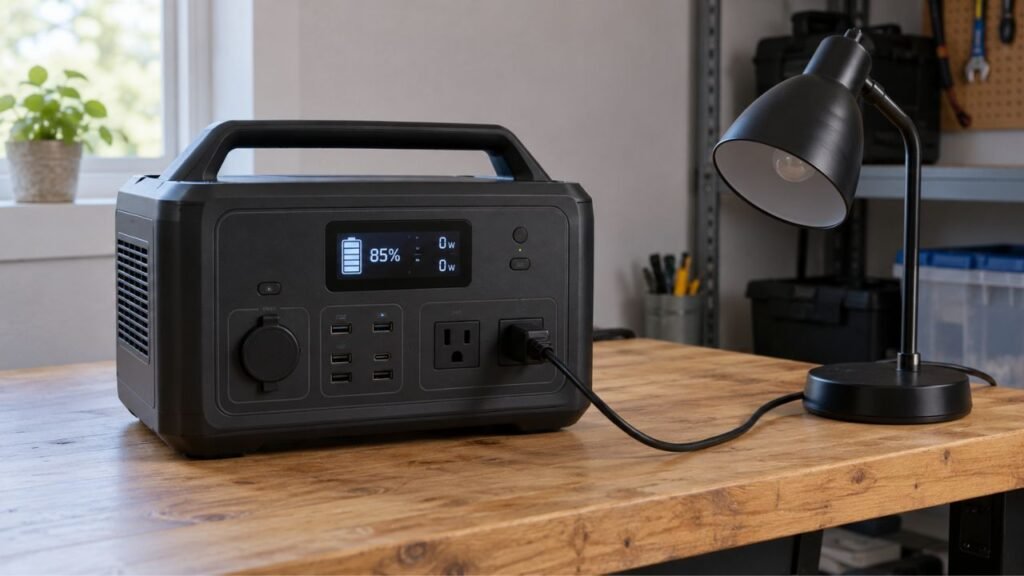
Your portable power station’s estimated runtime can seem inaccurate because it constantly recalculates remaining time. Changing appliance loads, inverter losses, battery temperature, internal power use, and battery calibration can all change the displayed estimate.
This guide explains why runtime numbers move and what is normal. You will also learn how to test accuracy and troubleshoot problems.
Key Takeaways
- Estimated runtime is a prediction, not an exact countdown timer.
- Changing appliance wattage can make the displayed runtime rise or fall.
- AC inverter losses reduce the usable energy reaching your appliances.
- Refrigerators and other cycling appliances create constantly changing estimates.
- Internal electronics consume power even when your connected load stays small.
- Poor battery calibration can make both percentage and runtime readings inaccurate.
- A changing runtime alone usually does not indicate a battery problem.
- Repeated premature shutdowns with remaining charge deserve closer troubleshooting.
Why Does My Portable Power Station Show the Wrong Runtime?
The displayed runtime is based on what the power station knows now. It cannot know exactly how much electricity your appliance will use later.
The battery management system monitors remaining charge and current power consumption. It then calculates how long the available energy might last.
Suppose the screen shows four hours remaining at a 200-watt load. That estimate assumes consumption remains relatively similar going forward.
If your load suddenly falls to 80 watts, runtime may increase. Connect another appliance, and the estimate may quickly decrease instead.
That does not necessarily mean the display made an error. The conditions used for its earlier prediction simply changed.
Think of the number as a live forecast rather than a stopwatch. The estimate becomes more useful when your power consumption stays stable.
Common Reasons Your Portable Power Station Runtime Estimate Keeps Changing
Several normal operating conditions can make the remaining-time number seem unreliable. Understanding each cause helps you identify whether anything actually needs fixing.
Your Appliance Does Not Draw Constant Power
Many appliances do not consume the same wattage continuously.
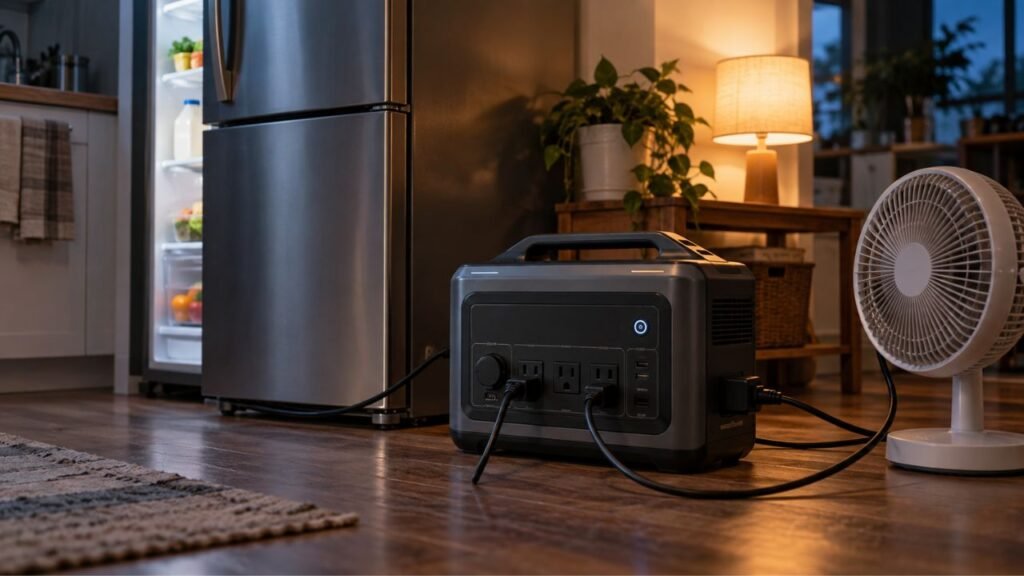
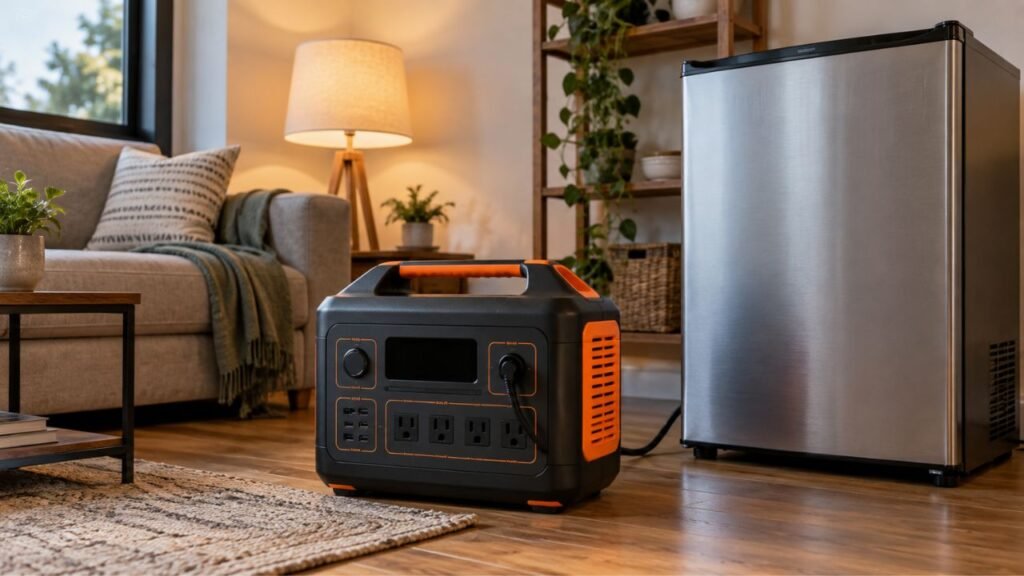
A refrigerator provides a good example. Its compressor may run for several minutes before switching off again.
When the compressor starts, power consumption rises considerably. The power station responds by reducing its estimated remaining runtime.
When the compressor stops, consumption becomes much lower. The displayed runtime can then increase again.
Similar changes happen with:
- Freezers
- Air conditioners
- Water pumps
- CPAP machines with humidifiers
- Laptops
- Televisions
- Power tools
- Coffee makers
- Electric cooking appliances
Variable consumption makes instant runtime predictions less useful than average consumption.
The Station Predicts Runtime From the Current Load
Your power station does not know your future electricity needs.
Instead, it observes current or recent power consumption. It combines that information with estimated remaining battery energy.
Imagine your station currently powers a 500-watt appliance.
The system might calculate:
Remaining energy ÷ current consumption = estimated runtime
Now unplug that appliance and connect something using only 100 watts. The projected runtime will suddenly become much longer.
The battery did not gain energy during that change. The expected future consumption simply became much lower.
This is why runtime estimates sometimes jump dramatically within seconds.
AC Inverter Losses Reduce Usable Energy
Battery capacity is usually listed in watt-hours, such as 1,024Wh.
However, you cannot normally send every stored watt-hour directly through AC outlets.
The battery stores DC electricity. Your power station’s inverter converts that electricity into 120V AC power.
Some energy becomes heat during this conversion process.
A useful planning formula is:
Estimated AC runtime = Battery capacity × estimated efficiency ÷ average load
For example, assume you have a 1,000Wh power station.
Using an 85% planning efficiency gives approximately:
1,000Wh × 0.85 = 850Wh of estimated usable AC energy
A constant 100-watt load would then theoretically run about:
850Wh ÷ 100W = 8.5 hours
Actual results can still vary by power station and operating conditions.
Do not assume one efficiency percentage applies to every model or load.
The Power Station Uses Some Electricity Itself
Your connected appliance is not the station’s only electricity consumer.
Several internal systems need power while the station operates, including:
- Battery management electronics
- AC inverter
- Cooling fans
- Display screen
- Wi-Fi hardware
- Bluetooth hardware
- Internal control circuits
That internal consumption matters most with small connected loads.
Suppose your router consumes only 10 watts. A few additional watts of station overhead become significant compared with that load.
Now compare that situation with a 1,000-watt heater. Internal consumption represents a much smaller portion of total electricity use.
This explains why basic runtime calculations can become optimistic with light loads.
Battery Percentage May Be Poorly Calibrated
Runtime calculations depend partly on estimated remaining battery capacity.
If the battery percentage itself is inaccurate, runtime will also be inaccurate.
You might notice the battery holding one percentage unusually long. It may then suddenly fall several percentage points.
Other signs can include unexpected percentage jumps after restarting the unit.
This does not automatically mean the battery cells are failing.
Sometimes the battery management system needs to relearn its usable range.
However, calibration procedures vary between manufacturers and power station models. Always follow the instructions provided for your particular unit.
Temperature Affects Available Battery Performance
Battery performance changes with temperature.
Cold conditions can temporarily reduce the energy your battery can deliver. Very high temperatures can also trigger protective operating limits.
The battery management system monitors temperature during normal operation.
When conditions change, available power and estimated capacity can change too.
That makes outdoor runtime estimates particularly difficult during extreme weather.
For the most predictable performance, operate the power station within its recommended temperature range.
Battery Aging Reduces Available Capacity
Battery capacity gradually decreases as the battery ages and completes cycles.
Imagine your power station originally had a 1,000Wh battery.
After significant use, its actual available capacity may become lower. However, the product still remains a 1,000Wh-rated power station by specification.
This difference can make old calculations increasingly optimistic.
Battery age does not automatically mean something is wrong. Gradual capacity loss is expected with rechargeable batteries.
However, unusually rapid capacity loss deserves further investigation.
High Loads Can Reduce Runtime More Than Expected
Large loads make your battery and inverter work harder.
Higher current can increase internal heating and conversion losses. Battery voltage can also sag more noticeably under demanding loads.
The power station may therefore deliver less practical runtime than simple math suggests.
This difference becomes more noticeable near the station’s operating limits.
A 1,000Wh station does not automatically provide exactly one hour at 1,000 watts.
Real operating conditions will normally reduce that ideal result.
Very Small Loads Can Also Produce Strange Estimates
Low-power devices create a different problem.
Your connected load might consume only a few watts. Meanwhile, the inverter and control electronics continue consuming their own power.
The display may initially calculate an extremely long runtime.
Small changes then create surprisingly large shifts in the predicted number.
For example, changing from 10 watts to 15 watts represents a 50% increase.
That change looks tiny in absolute power terms. Yet it can substantially reduce a long estimated runtime.
Charging While Using the Station Changes the Calculation
Runtime becomes more complicated when electricity enters and leaves simultaneously.
Suppose your appliance consumes 150 watts while solar panels provide 100 watts.
Your battery is effectively supplying the remaining difference, plus conversion losses.
Now a cloud passes over your panels.
Solar input might suddenly fall to 30 watts. Battery discharge increases, causing the estimated runtime to drop.
When sunlight improves, the runtime may rise again.
This behavior is expected during simultaneous charging and discharging.
Which Runtime Changes Are Normal and Which Suggest a Problem?
Not every inaccurate-looking number deserves troubleshooting. This table can help you separate ordinary recalculation from potentially abnormal behavior.
| What You Notice | Usually Normal? | Likely Explanation | What to Do |
| Runtime falls when a refrigerator starts | Yes | Compressor increases consumption | Watch average consumption |
| Runtime rises when the compressor stops | Yes | Current load decreased | No repair usually needed |
| Laptop runtime keeps changing | Yes | Laptop consumption varies with workload | Measure average wattage |
| Runtime changes during solar charging | Yes | Solar input changes net battery drain | Compare input and output |
| Small load shows unstable long runtime | Often | Station overhead becomes significant | Test actual runtime |
| Battery falls from 40% to 10% suddenly | Possibly not | Calibration or battery problem | Check manufacturer guidance |
| Unit shuts down with substantial charge shown | Usually not | SOC, BMS, or battery issue | Troubleshoot further |
| Constant load runs much shorter than before | Investigate | Aging, temperature, or battery issue | Perform controlled testing |
The key question is whether your load also changed.
A moving estimate with changing wattage is usually expected behavior. A wildly inaccurate estimate with a stable load deserves closer attention.
Why Does the Estimated Runtime Go Up Instead of Down?
A rising runtime can look especially confusing while the battery is discharging.
However, the station is not showing how much time has passed. It is estimating how much longer the remaining energy might last.
Consider this example.
Your power station sits at 70% battery while supplying 300 watts. The display estimates about two hours of remaining runtime.
You then turn off several devices.
Consumption falls from 300 watts to only 100 watts.
The next calculation assumes future consumption remains near 100 watts. Your displayed runtime can therefore increase substantially.
Meanwhile, your battery percentage may have dropped from 70% to 68%.
No additional electricity appeared inside the battery. Your expected rate of consumption simply became lower.
This is normal behavior and generally indicates active recalculation.
Why Does Runtime Drop Suddenly When I Plug Something In?
Adding another appliance immediately increases total power consumption.
Your station responds by calculating how quickly that larger load could drain the remaining battery.
High-power appliances can create especially dramatic changes.
Common examples include:
- Microwave ovens
- Coffee makers
- Hair dryers
- Space heaters
- Induction cooktops
- Power tools
- Electric kettles
- Portable air conditioners
You may also briefly see a large startup surge.
Motors and compressors often need additional power during startup. That surge can momentarily affect the display.
Startup wattage and running wattage should not be confused.
Startup power mainly determines whether the inverter can start your appliance. Average running consumption matters more when estimating total operating time.
Why Is the Runtime Estimate Especially Wrong With Refrigerators and Freezers?
Refrigerators and freezers are difficult loads for simple runtime predictions. Their electricity consumption constantly changes throughout normal operation.
Compressor Cycling Changes the Wattage
The compressor does not normally run continuously.
When cooling is needed, the compressor starts and electricity consumption rises.
Once the desired temperature is reached, the compressor turns off.
The power station therefore sees alternating periods of higher and lower consumption.
Each change can produce a different runtime estimate.
Room Temperature Changes Compressor Runtime
A refrigerator usually works harder in a warm room.
Higher surrounding temperatures can increase how often its compressor operates.
During cooler conditions, the compressor may remain off longer.
That means the same refrigerator can produce different daily energy consumption during different seasons.
Door Openings Affect Average Consumption
Opening the refrigerator door allows warm room air inside.
The cooling system must then remove that additional heat.
Frequent door openings can increase compressor runtime and electricity consumption.
During an outage, keeping refrigerator doors closed can noticeably reduce energy use.
Nameplate Watts May Not Represent Average Consumption
The wattage printed on an appliance label has limited runtime value.
It may represent rated input rather than average consumption throughout several hours.
For cycling appliances, measured watt-hours provide better information.
Run the appliance normally and observe its consumption over several hours.
That average gives you a much more realistic runtime estimate.
How Accurate Should a Portable Power Station Runtime Estimate Be?
There is no universal accuracy percentage that applies to every power station.
Runtime predictions depend heavily on the type of connected load.
A constant 100-watt resistive load creates relatively predictable conditions. The displayed estimate should usually become more stable after operating briefly.
A refrigerator creates very different conditions.
Its changing compressor cycles make the predicted runtime move repeatedly.
Solar charging, temperature changes, and multiple appliances create additional uncertainty.
A practical rule is simple:
Stable conditions create more useful runtime estimates.
The more your load changes, the less you should treat the displayed number as an exact shutdown time.
Use it as planning guidance rather than a guaranteed countdown.
How to Calculate a More Realistic Portable Power Station Runtime
You can calculate a useful runtime estimate yourself with basic information. Focus on usable energy and average consumption instead of ideal specifications.
Step 1: Find the Battery Capacity
Check your power station’s battery capacity in watt-hours.
For example:
Battery capacity = 1,024Wh
Watt-hours describe how much energy the battery can theoretically store.
Do not confuse watt-hours with watts.
Watts measure the rate at which your devices consume electricity.
Step 2: Find Your Appliance’s Average Power Consumption
Check the power station’s output display while your appliance operates.
For constant loads, the displayed wattage can provide a useful estimate.
Variable appliances need longer observation.
A refrigerator showing 120 watts while running does not necessarily consume 120 watts continuously.
Measure consumption across several operating cycles whenever possible.
Step 3: Account for Conversion Losses
Basic math assumes every stored watt-hour reaches your appliance.
Real systems always experience losses.
A useful planning formula is:
Runtime = Battery capacity × estimated efficiency ÷ average watts
Suppose your station has 1,024Wh.
Assume an 85% AC planning efficiency:
1,024Wh × 0.85 = 870Wh approximately
If your average load is 100 watts:
870Wh ÷ 100W = about 8.7 hours
Treat this as an estimate rather than an exact promise.
Step 4: Consider the Station’s Own Consumption
Internal consumption can make your result shorter.
This effect matters especially when running small devices for many hours.
A router, modem, or LED light creates relatively low external consumption.
The station’s inverter and electronics can therefore represent a meaningful additional load.
Actual testing becomes particularly useful in these situations.
Step 5: Leave Yourself a Planning Margin
Never plan emergency power around the exact calculated shutdown minute.
Battery conditions, temperature, changing loads, and efficiency can shift your result.
A reasonable planning buffer gives you flexibility during an outage.
That becomes especially important for refrigerators, medical equipment, communications, and other important loads.
Portable Power Station Runtime Calculation Examples
These examples show why ideal math and practical runtime differ. They use a hypothetical 1,000Wh power station for simple comparison.
| Connected Load | Ideal Calculation | More Realistic Expectation |
| 50W constant load | 20 hours | Somewhat less after losses and overhead |
| 100W constant load | 10 hours | Less than 10 hours through AC |
| 500W constant load | 2 hours | Less after conversion losses |
| 1,000W heater | 1 hour | Less than one ideal hour |
| Cycling refrigerator | Cannot use one instant watt reading reliably | Measure average energy consumption |
Avoid pretending these examples produce exact universal runtimes.
Two 1,000Wh power stations can deliver different results with identical appliances.
Their inverter efficiency, reserve limits, temperature, and battery condition may differ.
How to Check Whether the Display or Your Calculation Is Wrong
You can perform a simple controlled test at home. Use one stable appliance rather than several changing loads.
- Fully charge the power station normally.
- Disconnect unnecessary appliances and accessories.
- Connect one reasonably steady electrical load.
- Record the starting battery percentage.
- Record the displayed output wattage.
- Record the initial estimated runtime.
- Let the load operate for about one hour.
- Record the new battery percentage afterward.
- Compare actual battery use with the predicted runtime.
- Repeat the test under similar conditions if necessary.
Avoid using a refrigerator for your first controlled test.
Its cycling behavior makes comparison more difficult.
A stable load gives the power station fewer changing variables. That makes unusual display behavior easier to identify.
How to Improve the Accuracy of the Runtime Estimate
You cannot make every prediction perfectly accurate. However, several habits can make the displayed number much more useful.
Let the Load Stabilize Before Judging the Estimate
Do not judge the display immediately after connecting an appliance.
The power station may need time to observe the new consumption level.
Wait briefly while wattage settles.
Variable appliances may require even longer before the estimate becomes meaningful.
Use Average Watts Instead of Nameplate Watts
Your appliance label may not show typical real-world consumption.
Use the station’s wattage display when possible.
For cycling loads, monitor energy use over several hours.
Average wattage gives you far better runtime information than one momentary reading.
Turn Off Outputs You Are Not Using
Unused output sections can still consume internal energy on some models.
If you only need USB power, you may not need AC output enabled.
Likewise, disable features you do not require during long backup periods.
Always follow the operating options available on your particular station.
Keep the Power Station Within Recommended Temperatures
Extreme temperatures can affect both battery performance and estimation accuracy.
Keep the station dry and adequately ventilated.
Do not block cooling vents or place the unit near heat sources.
For cold-weather operation, follow your manufacturer’s temperature limits.
Keep Firmware and Software Updated
Modern power stations often rely heavily on internal software.
Manufacturers may release firmware updates addressing display behavior or battery management.
Check your manufacturer’s app or support information when readings seem unusual.
Do not interrupt firmware installation once the update process begins.
Recalibrate the Battery Only When Appropriate
Battery recalibration can sometimes correct inaccurate state-of-charge readings.
However, a changing runtime number alone does not mean calibration is needed.
Do not repeatedly discharge your station from 100% to 0% unnecessarily.
Calibration procedures differ depending on the manufacturer and battery management system.
Some models require a complete charge and discharge sequence. Others use different reset or calibration procedures.
Always follow instructions intended for your exact model.
How Do I Know If My Power Station Needs Battery Recalibration?
Calibration becomes more relevant when the battery percentage behaves abnormally. Look for several symptoms rather than one changing runtime estimate.
Possible signs include:
- Battery percentage suddenly drops by large amounts.
- The unit shuts down while substantial charge remains displayed.
- Battery percentage stays frozen unusually long.
- Percentage jumps significantly after restarting the station.
- Runtime remains badly inaccurate with a steady known load.
- Battery readings become unreliable after extended storage.
- Your manufacturer specifically recommends recalibration.
A runtime estimate that changes with appliance wattage is different.
That behavior generally means the station is adjusting its prediction normally.
Is the Battery Failing or Is the Runtime Estimate Just Wrong?
Battery problems and calculation problems can sometimes look similar. The pattern of symptoms usually provides important clues.
| Symptom | More Likely Estimate or Calibration Issue | More Likely Battery or Hardware Issue |
| Runtime changes when appliance wattage changes | Yes | Usually no |
| Percentage looks normal but runtime jumps | Yes | Usually no |
| Battery percentage makes large unexplained jumps | Possible | Possible |
| Runtime gradually decreases after years of use | Possible | Normal battery aging possible |
| Station repeatedly shuts down unusually early | Possible | Possible |
| Battery becomes swollen or deformed | No | Yes |
| Unit produces unusual heat, odor, or warnings | No | Yes |
| Known steady load runs dramatically shorter than before | Less likely | Degradation or fault possible |
A controlled runtime test can help narrow things down.
If the battery consistently delivers reasonable energy, the displayed prediction may simply be imperfect.
Repeated premature shutdowns deserve closer inspection.
Does AC or DC Output Give a More Accurate Runtime?
AC and DC outputs can produce different actual runtimes.
The battery stores electricity as DC energy.
When you use a standard 120V AC outlet, the inverter converts DC into AC.
That conversion consumes some energy.
USB and certain DC outputs avoid the main AC inverter stage. However, those outputs may still require voltage conversion.
You should therefore avoid assuming DC always provides a fixed percentage improvement.
Actual efficiency depends on the power station, output voltage, device, and load.
For compatible low-power electronics, direct USB or DC power can sometimes improve practical runtime.
Does Battery Chemistry Affect Runtime Estimate Accuracy?
Battery chemistry can influence how a battery management system estimates remaining charge.
Modern portable power stations commonly use LiFePO4 or other lithium-based batteries.
The system does not simply read battery voltage and convert it into percentage.
Instead, it can consider several operating factors, including:
- Voltage
- Current
- Temperature
- Charge history
- Battery resistance
- Estimated capacity
- Battery aging
LiFePO4 batteries have a relatively flat voltage curve through much of their charge range.
That can make accurate state-of-charge estimation more complicated than simply measuring voltage.
The BMS handles these calculations automatically during normal operation.
For you, the practical lesson is straightforward.
Battery percentage and remaining runtime are both calculated estimates rather than direct measurements of an invisible fuel tank.
Can an Older Power Station Show 100% but Have Less Runtime?
Yes, an older power station can still reach 100% while providing less runtime.
The 100% reading represents the battery management system’s current definition of full charge.
It does not necessarily mean the battery still stores its original factory capacity.
Rechargeable batteries gradually lose capacity through use and aging.
Imagine a new battery originally storing around 1,000Wh.
After years of service, its actual usable capacity might become lower.
The display can still reach 100% because the remaining capacity is fully charged.
Your real runtime will therefore become shorter than when the station was new.
Gradual decline is normal.
Sudden or severe capacity loss should be investigated.
When Should You Contact the Manufacturer?
Most changing runtime estimates do not require professional assistance. However, some symptoms can indicate a deeper battery or hardware problem.
Consider contacting the manufacturer when:
- Battery percentage repeatedly jumps by large amounts.
- The station shuts down with significant charge remaining.
- Runtime remains wildly wrong with a stable known load.
- Available battery capacity suddenly drops dramatically.
- A BMS or battery fault code appears repeatedly.
- Calibration procedures fail to improve abnormal readings.
- The station becomes unusually hot during normal loads.
- Battery performance deteriorates unusually quickly.
Stop using the station if the battery becomes swollen or deformed.
Also stop using it if you notice smoke or unusual odors.
Move away from the unit and follow the manufacturer’s safety instructions.
Final Words
Your portable power station’s estimated runtime is not an exact countdown clock. It is a constantly changing prediction based on battery energy and current consumption.
If runtime moves when appliance wattage changes, that behavior is usually normal. Refrigerators, freezers, laptops, and solar charging can make estimates especially variable.
Pay closer attention when the battery percentage itself becomes unreliable. Repeated premature shutdowns or extreme capacity loss also deserve investigation.
For the most dependable estimate, measure average consumption and test your actual setup. That real-world result will usually beat simple theoretical math.
Related FAQs
Why Does My Portable Power Station Runtime Keep Changing?
Your power station recalculates remaining runtime whenever electricity consumption changes. Variable appliances, cooling fans, charging input, and inverter operation can therefore make the displayed estimate rise or fall.
Why Does My Power Station Show 99 Hours Remaining?
Some power stations limit their displayed maximum runtime to a fixed number. A very small load can produce an extremely long calculated estimate, so the screen may show its highest supported value instead.
Why Does My Battery Runtime Increase While I Am Using It?
Runtime can increase when your connected load decreases. The battery still loses energy, but the station predicts that the remaining energy will last longer at the lower consumption rate.
Why Does My Runtime Drop When My Refrigerator Turns On?
A refrigerator compressor draws considerably more power while actively cooling. The power station detects that larger load and temporarily calculates a shorter remaining runtime.
Is Portable Power Station Runtime Based on Current Wattage?
Current or recent wattage is usually an important part of the calculation. The system combines consumption with its estimated remaining battery energy and other internal battery information.
Is Battery Percentage More Reliable Than Estimated Runtime?
Battery percentage usually changes more gradually, while runtime responds quickly to changing loads. However, both values are calculated estimates and can become inaccurate when battery calibration is poor.
How Can I Tell How Long My Power Station Will Actually Last?
Measure your appliance’s average power consumption during normal operation. Then perform a controlled runtime test using the same devices you expect to power during an outage.
Should I Recalibrate My Portable Power Station Battery?
Recalibrate only when your manufacturer recommends it or battery percentage behaves abnormally. A runtime number changing with appliance consumption does not automatically mean recalibration is necessary.
Does Cold Weather Make Runtime Estimates Inaccurate?
Cold temperatures can temporarily reduce available battery performance and alter discharge behavior. The resulting runtime estimate may therefore differ from what you normally see indoors.
Why Does My Power Station Shut Off Before Reaching 0%?
The BMS may protect the battery by stopping discharge before complete depletion. An inaccurate state-of-charge reading can also make shutdown appear earlier than expected.
Can a High-Wattage Appliance Make the Runtime Estimate Less Accurate?
A high-wattage appliance can make runtime fall quickly because it drains energy faster. Increased heat, conversion losses, and changing appliance demand can also influence the prediction.
Why Is My Runtime Estimate Wrong Even With Plenty of Battery Remaining?
The displayed percentage tells you how much charge the system estimates remains. Runtime additionally depends on how quickly your connected appliances are consuming that available energy.
Does Turning Off the AC Output Improve Runtime?
It can improve runtime when AC power is not needed. The inverter consumes some electricity while operating, so disabling unused AC output may reduce internal power consumption.
Can Solar Charging Make the Runtime Display Jump Around?
Yes. Changing sunlight constantly alters solar input and net battery drain. Clouds, shade, and panel angle can therefore make the remaining-runtime estimate rise or fall throughout the day.

Warren Turner writes practical guides and reviews on generators, portable power stations, and battery backup systems. He focuses on real-world performance, everyday power needs, and helping readers choose dependable equipment without unnecessary complexity.