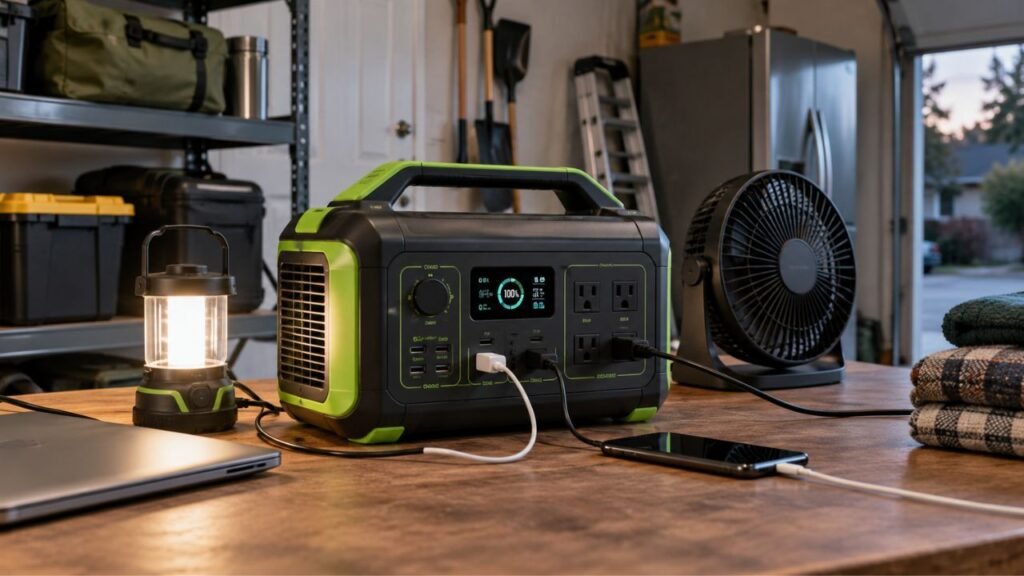
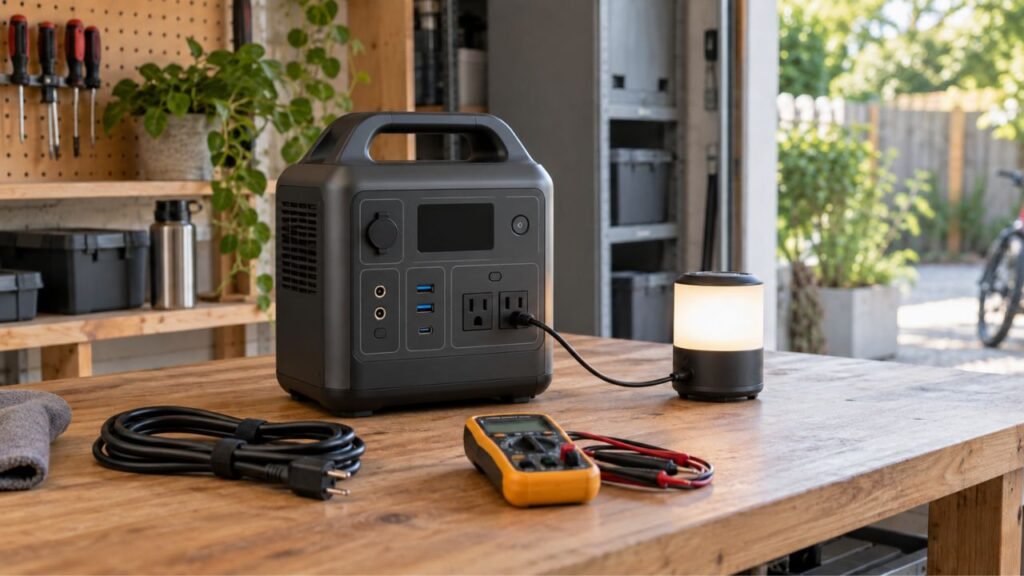
You can check portable power station battery health by reviewing battery diagnostics, comparing runtime, checking cycle count, and running a controlled capacity test. A healthy battery should deliver reasonably consistent usable energy compared with its earlier performance.
In this guide, I’ll show you several practical battery checks. You’ll also learn how to interpret results without misreading normal power losses.
Key Takeaways
- A 100% charge reading does not mean 100% battery health.
- Check battery health information in the manufacturer app first.
- Cycle count shows battery use, not exact remaining capacity.
- Runtime testing helps reveal meaningful capacity loss over time.
- Controlled capacity testing gives the clearest real-world health picture.
- AC output tests naturally include inverter and internal power losses.
- Compare current capacity with an earlier baseline whenever possible.
- Stop using batteries showing swelling, smoke, odors, or severe overheating.
What Does Battery Health Mean on a Portable Power Station?
Battery health describes how well the battery performs compared with new. It is different from the percentage displayed on your power station.
A new battery begins with its full designed energy-storage capability. That capability gradually decreases as the battery ages and accumulates cycles.
You may see several terms when checking your power station.
State of charge, or SOC, describes how full the battery currently is.
A battery showing 70% SOC has approximately 70% of its currently available charge remaining.
State of health, or SOH, describes battery condition compared with new.
For example, a battery at 85% SOH has experienced some degradation. It can still charge to 100% on the display.
Usable capacity describes how much energy you can actually withdraw.
This number can differ from the battery capacity printed on your unit.
Cycle count records accumulated charging and discharging activity.
All four measurements help, but none tells the complete story alone.
What Is the Easiest Way to Check Portable Power Station Battery Health?
You do not need specialized battery equipment for your first check. Start with basic information already available from the power station.
Use this simple order:
- Inspect the power station for visible physical problems.
- Open its display or manufacturer companion app.
- Look for battery health or capacity information.
- Check the total charge cycle count.
- Compare current runtime with previous normal runtime.
- Run a controlled capacity test if performance seems worse.
For most owners, these checks reveal whether further testing is worthwhile.
Check the Power Station Display and Companion App
Your power station’s display should be your first diagnostic tool. The manufacturer’s app may provide even more useful battery information.
Look for Battery Health or Maximum Capacity
Open the power station app if your model supports one.
Look for terms including:
- Battery Health
- State of Health
- SOH
- Maximum Capacity
- Battery Capacity
- Battery Status
Some models calculate battery condition automatically through their battery management system.
If the app reports 92% battery health, for example, the battery has likely lost some original capacity.
However, not every portable power station reports SOH directly.
Some apps only display battery percentage, temperature, charging power, and estimated runtime.
That does not necessarily mean something is wrong.
Check the Charge Cycle Count
Cycle count can help you estimate how heavily the battery has been used.
A battery cycle does not necessarily mean one charging session.
Using 50% today and another 50% tomorrow approximately equals one cycle.
Partial discharges can therefore accumulate into full equivalent cycles.
Compare your cycle count with the manufacturer’s published cycle-life specification.
Suppose your LiFePO4 station carries a 3,000-cycle rating.
Having 500 cycles does not automatically mean 17% has disappeared.
Cycle ratings describe expected long-term durability under specified testing conditions.
Actual battery health also depends on temperature and charging habits.
Check Temperature, Errors, and Battery Warnings
Your app may also show information unrelated to battery capacity.
These warnings can still reveal battery problems.
Watch for:
- abnormal temperature warnings
- battery management system errors
- repeated low-voltage protection
- charging errors
- unexpected shutdown warnings
- unusual battery temperature readings
One isolated warning does not always indicate battery failure.
Repeated warnings during ordinary use deserve closer investigation.
Does 100% Battery Percentage Mean the Battery Is Healthy?
No. A 100% battery reading only describes the current charge level.
It does not prove the battery retains its original energy capacity.
Imagine your power station originally stored approximately 1,000Wh.
Several years later, degradation reduces usable battery capacity to 800Wh.
The battery can still charge completely and display 100%.
However, that 100% now represents its reduced available capacity.
This explains why older stations sometimes show 100% yet run devices shorter.
Think of battery percentage as how full the current container is.
Battery health tells you how large that container still remains.
How to Run a Portable Power Station Battery Capacity Test
A controlled capacity test is one of the best home checks. The goal is measuring real usable energy under repeatable conditions.
What You Need for the Test
Gather a few basic items before starting:
- your portable power station
- a predictable and reasonably steady electrical load
- a plug-in watt-hour meter for AC testing
- a timer if energy recording is unavailable
- notes for recording your test conditions
- a moderate indoor testing environment
A watt-hour meter makes testing much easier and more accurate.
It records total energy delivered instead of relying on rough estimates.
Step 1: Fully Charge the Power Station
Charge the power station until its display reaches 100%.
Allow the charging process to finish normally before beginning the test.
Do not keep solar panels or another charging source connected.
You want all test energy to come from the battery.
Step 2: Disconnect Every Charging Source
Remove all charging connections before testing.
Disconnect:
- AC wall charging
- solar panels
- vehicle charging cables
- USB-C charging inputs
- external expansion charging sources
Incoming energy would make your runtime results inaccurate.
Step 3: Connect a Stable Load
Choose an appliance with reasonably steady power consumption.
A lamp or other resistive load works better than cycling appliances.
Avoid refrigerators when possible during your first capacity test.
A refrigerator compressor constantly switches between running and resting.
That makes simple runtime calculations harder to interpret.
Also avoid testing near your power station’s maximum output rating.
A moderate load usually creates more repeatable testing conditions.
Step 4: Measure the Total Energy Delivered
Connect your watt-hour meter between the station and test appliance.
Start the appliance and record the starting battery percentage.
Allow the station to run until reaching its normal shutdown point.
Your meter should record total energy delivered in watt-hours.
Suppose it records 815Wh before the power station shuts down.
Write that result down along with your testing conditions.
If you do not have a watt-hour meter, use this approximation:
Energy delivered (Wh) = Average load (W) × Runtime (hours)
For example:
100W × 7.8 hours = approximately 780Wh
This approach works best with a very stable electrical load.
Step 5: Record the Testing Conditions
Battery testing becomes much more useful when conditions remain consistent.
Record:
- test date
- room temperature
- battery percentage at startup
- test load wattage
- output type used
- measured watt-hours
- total runtime
- cycle count
- firmware version if available
These details create your battery health baseline.
Step 6: Repeat the Same Test Later
One capacity test tells you how the station performs today.
Repeated tests show whether battery capacity is actually declining.
Run future tests using approximately the same load and temperature.
Also use the same AC or DC output method.
Comparing similar tests gives you much more meaningful information.
How Do You Calculate Battery Health From a Capacity Test?
Capacity testing works best when you compare equivalent measurements. Your original measured usable capacity provides the strongest personal baseline.
Best Method: Compare With Your Original Baseline
Use this formula:
Remaining measured capacity (%) = Current usable Wh ÷ Original usable Wh × 100
Suppose your power station originally delivered 900Wh during your test.
Two years later, the same test delivers only 765Wh.
The calculation becomes:
765 ÷ 900 × 100 = 85%
Your station now delivers approximately 85% of its original measured capacity.
That does not automatically mean immediate replacement is necessary.
It simply shows meaningful capacity degradation has occurred.
What If You Never Recorded an Original Baseline?
Most people did not capacity-test their station when purchasing it.
That is completely normal.
You can still compare your result with:
- previous runtime you remember under similar loads
- manufacturer performance information
- reliable testing data for your exact model
- future capacity tests performed under identical conditions
You can also compare loosely with rated battery capacity.
However, understand that AC testing naturally produces a lower number.
That difference does not automatically indicate battery degradation.
Why Your Capacity Test May Show Less Than Rated Watt-Hours
Do not panic when an AC test produces fewer watt-hours. Several normal energy losses occur between the battery and connected appliance.
Inverter Conversion Uses Some Energy
Your power station battery stores direct-current electrical energy.
Household AC appliances require alternating-current electricity.
The power station’s inverter performs this conversion.
That process cannot operate at 100% efficiency.
Some energy becomes heat during conversion.
That means a 1,000Wh battery will not necessarily provide 1,000Wh through AC outlets.
The Power Station Also Consumes Electricity
Your connected appliance is not the only thing consuming energy.
The station itself may power:
- the inverter
- battery management system
- cooling fans
- display
- control electronics
- Bluetooth or Wi-Fi hardware
Those internal loads reduce energy reaching your appliance.
Very Small Loads Can Reduce Practical Efficiency
Imagine running a 5W device from a large AC power station.
The inverter might consume meaningful power simply staying active.
That fixed overhead becomes significant compared with your tiny appliance load.
For this reason, avoid extremely small test loads.
Heavy Loads Can Also Affect Results
Very heavy power demand creates additional heat.
Higher current can increase electrical losses inside the system.
Therefore, dramatically different loads may produce different usable capacities.
Repeat battery tests using similar load levels whenever possible.
How Should You Interpret Portable Power Station Battery Health Results?
Battery-health percentages need context before you make replacement decisions. Use your original performance, cycle specification, and current behavior together.
| Battery Test Result | What It May Mean | What You Should Do |
| Runtime remains close to original performance | Battery likely remains healthy | Continue normal use and record results |
| Small gradual runtime decline | Normal battery aging | Monitor during future capacity tests |
| Around 80% of original measured capacity | Noticeable battery degradation | Compare with manufacturer cycle-life specifications |
| Major sudden capacity loss | Battery, BMS, or calibration issue possible | Repeat the controlled test |
| Percentage falls quickly but runtime remains normal | Battery gauge may need recalibration | Follow manufacturer instructions |
| Repeated shutdowns under moderate loads | Battery, BMS, or inverter issue possible | Troubleshoot or contact support |
| Battery will not charge normally | Battery or charging-system problem possible | Test charging inputs and seek support |
| Swelling, smoke, strong odor, or severe heat | Potential battery safety problem | Stop using and charging immediately |
Many manufacturers use around 80% remaining capacity when publishing cycle-life ratings.
However, 80% should not automatically mean your station becomes unusable.
Some manufacturers specify different end-of-cycle capacity levels.
Always check the specification for your exact portable power station.
Can You Check Portable Power Station Battery Health With a Multimeter?
A multimeter can help diagnose certain power station problems. However, it usually cannot directly measure internal battery health from external ports.
Suppose you measure the station’s 12V automotive outlet.
That outlet may intentionally provide approximately 12V through regulated electronics.
The internal battery pack may operate at a completely different voltage.
Therefore, correct voltage from that outlet proves the output works.
It does not prove the battery retains its original capacity.
The same principle applies to USB outputs.
A USB port producing approximately 5V tells you about that port.
It does not provide a meaningful battery capacity measurement.
A multimeter remains useful for checking abnormal output voltage.
It can also help identify faulty cables or certain charging problems.
For actual battery health, capacity testing gives more useful information.
Do not open a sealed portable power station for internal measurements.
Lithium battery packs can contain dangerous voltage and stored energy.
Internal servicing should follow the manufacturer’s approved repair procedures.
Does Cycle Count Tell You How Much Battery Life Is Left?
Cycle count gives you useful context, but not an exact answer.
Two power stations with 500 cycles may have different battery health.
One might have spent several summers inside a hot garage.
The other might have remained indoors at moderate temperatures.
Battery degradation depends on several conditions, including:
- total cycles
- depth of discharge
- battery temperature
- charging temperature
- charging speed
- storage conditions
- calendar age
- time spent at very high charge
Therefore, do not calculate remaining battery lifespan from cycle count alone.
Instead, combine cycle information with actual capacity and runtime testing.
LiFePO4 vs NMC: Does Battery Chemistry Change the Health Check?
Battery chemistry strongly affects expected lifespan and aging behavior. However, the basic health-check process remains similar for both chemistries.
Checking a LiFePO4 Power Station
LiFePO4, also called LFP, appears in many modern power stations.
These batteries generally offer long cycle life and good thermal stability.
However, LFP batteries still lose capacity as they age.
You should still monitor:
- usable capacity
- cycle count
- runtime consistency
- charging behavior
- temperature
- battery warnings
Do not assume every LiFePO4 battery lasts exactly 3,000 cycles.
Published cycle-life ratings vary between manufacturers and individual models.
Checking an NMC Power Station
Many older power stations use NMC lithium-ion batteries.
NMC batteries commonly have shorter published cycle lives than LFP batteries.
That does not mean an older NMC station is automatically unhealthy.
Test actual performance rather than judging chemistry alone.
A lightly used NMC battery stored properly may still perform reliably.
Could an Inaccurate Battery Percentage Look Like Battery Damage?
Yes. Sometimes the battery remains usable while its percentage estimate becomes inaccurate. This can make normal battery behavior look like severe degradation.
Battery Gauge or BMS Calibration Problems
Watch for unusual percentage behavior.
Examples include:
- dropping rapidly immediately after charging
- remaining at one percentage unusually long
- jumping suddenly from 25% to 5%
- shutting down while showing substantial charge
- reaching 100% unusually quickly
These symptoms can sometimes indicate battery degradation.
However, inaccurate SOC estimation can produce similar behavior.
That is why capacity testing matters before assuming battery failure.
Recalibrate Only When the Manufacturer Recommends It
Some manufacturers recommend occasional calibration procedures.
A procedure may involve charging fully and completing a controlled discharge.
Follow the instructions for your exact model.
Do not repeatedly discharge lithium batteries to zero unnecessarily.
Frequent deep discharging can create additional battery stress.
Calibration corrects the battery meter’s estimate.
It does not restore actual capacity already lost through aging.
Warning Signs Your Power Station Battery May Be Failing
Battery degradation usually appears gradually rather than overnight. However, some warning signs deserve immediate attention.
Watch for:
- significantly shorter runtime using the same appliance
- battery percentage falling much faster than previously
- repeated shutdowns before reaching a low percentage
- difficulty reaching a full charge
- unusually fast charge loss while stored
- repeated battery management system errors
- excessive heat during ordinary charging
- excessive heat under normal power loads
- visible swelling or case deformation
- unusual chemical or burning odors
- smoke or hissing noises
If you notice swelling, smoke, or strong unusual odors, stop testing.
Do not keep charging the station to confirm the problem.
Move away from combustible materials if this can be done safely.
Follow the manufacturer’s safety instructions and contact qualified support.
How Temperature Can Make a Healthy Battery Look Weak
Temperature has a major effect on lithium battery performance. Cold conditions can temporarily reduce available power and usable capacity.
You might notice shorter runtime during winter camping.
That does not always mean permanent battery degradation occurred.
Allow the station to return to normal operating temperature.
Then repeat your capacity test under moderate indoor conditions.
Heat creates another problem.
High temperatures can accelerate permanent battery degradation over time.
Leaving a station inside a hot vehicle can be especially stressful.
For meaningful comparisons, test the battery at similar temperatures.
Do not compare one winter test directly with a warm indoor baseline.
Common Battery Health Testing Mistakes
Simple mistakes can make healthy power stations appear defective. Avoid these problems when checking your battery.
- Assuming 100% charge means 100% battery health.
- Comparing AC output directly with nameplate capacity.
- Ignoring inverter and internal electronic losses.
- Making conclusions from one short runtime test.
- Testing with appliances having highly variable power consumption.
- Comparing tests performed at very different temperatures.
- Treating cycle count as exact remaining battery lifespan.
- Using USB voltage as evidence of battery capacity.
- Using 12V output voltage as an SOH measurement.
- Repeatedly draining lithium batteries solely for unnecessary testing.
- Ignoring battery gauge calibration problems.
- Opening the sealed power station to access battery terminals.
- Declaring a battery bad before repeating abnormal test results.
A consistent testing method is more valuable than one impressive-looking number.
How to Create a Battery Health Baseline for Future Tests
Creating a baseline makes future battery testing much easier. Your own earlier performance becomes the best comparison for your station.
Record these details during your first controlled test:
- portable power station model
- rated battery capacity
- battery chemistry
- test date
- starting battery percentage
- cycle count
- room temperature
- output type
- appliance or test load
- average wattage
- total measured watt-hours
- total runtime
- ending percentage
- firmware version
- warnings or unexpected shutdowns
Keep these results somewhere you can find them later.
Repeat the same test after several months or noticeable performance changes.
Suppose today’s test produces 890Wh of AC output.
A future test under similar conditions produces 860Wh.
That small change may simply represent normal aging and testing variation.
However, a future result of 650Wh deserves additional investigation.
Trend information tells you much more than one isolated measurement.
How Often Should You Check Portable Power Station Battery Health?
You do not need to perform complete discharge tests constantly.
For normal occasional use, monitor basic performance during regular operation.
Check the app, display, charging behavior, and runtime periodically.
If you depend on the station for emergency backup, test it before important seasons.
For example, check before hurricane or winter storm season.
A controlled capacity test becomes worthwhile when you notice:
- significantly shorter runtime
- strange percentage readings
- unusually fast self-discharge
- abnormal charging behavior
- repeated shutdowns
- exposure to excessive heat
- several years of regular use
A capacity test can also help before selling an older station.
The same applies when evaluating a used power station.
Avoid unnecessary full discharge testing every few weeks.
You want useful information without creating needless battery cycles.
When Should You Contact the Manufacturer About Battery Health?
Some battery problems go beyond what normal home testing can diagnose. Manufacturer support can interpret error codes and model-specific battery information.
When Capacity Falls Below Expected Performance
Start by repeating your capacity test under controlled conditions.
If results remain unusually low, check the manufacturer’s cycle-life specification.
Also review the warranty terms for your exact model.
Battery warranties often include specific requirements or capacity conditions.
When the Battery Shuts Down Unexpectedly
A station repeatedly shutting down deserves investigation.
First confirm that your appliance stays below the rated output.
Also consider the appliance’s startup surge.
If shutdowns occur under modest loads, contact manufacturer support.
The issue could involve the battery, BMS, inverter, or another component.
When the App Shows Battery or BMS Errors
Write down any error codes before restarting the station.
Also record:
- battery percentage
- connected load
- charging source
- battery temperature
- cycle count
- firmware version
Providing this information can make manufacturer troubleshooting much easier.
When You Notice Physical Safety Problems
Do not continue testing swollen or severely overheating batteries.
The same rule applies to smoke or strong chemical odors.
Disconnect charging when safe and stop using the station.
Follow the manufacturer’s emergency and service instructions.
Can You Improve Battery Health After It Has Degraded?
Actual battery degradation generally cannot be reversed through ordinary maintenance.
If the cells have permanently lost capacity, resetting the station will not recreate it.
Firmware updates may improve battery percentage estimation.
Calibration may also correct an inaccurate remaining-charge display.
Neither process restores chemically degraded battery material.
What you can do is slow future degradation.
Keep the station away from prolonged extreme temperatures.
Avoid unnecessary deep discharges during ordinary daily use.
Use approved charging equipment and compatible solar input specifications.
Follow your manufacturer’s recommendations for long-term storage.
Good care protects the capacity you still have.
Final Words
Checking portable power station battery health does not require advanced equipment. Start with the display, app, cycle count, and everyday runtime.
If performance appears worse, run a controlled capacity test.
Use a stable load and record the total energy delivered.
Most importantly, compare future results with your own earlier measurements.
Do not judge battery health from the 100% indicator alone.
Also remember that AC output contains normal conversion and system losses.
A battery around 80% of original capacity is noticeably degraded.
However, that does not automatically mean immediate replacement is required.
Check your model’s specifications, behavior, reliability, and intended use.
For emergency backup, dependable runtime matters more than a perfect percentage.
A simple battery baseline today can prevent surprises during future outages.
Related FAQs
What Percentage Is Considered Good Battery Health for a Portable Power Station?
Battery health above roughly 80% of original capacity is commonly considered useful, but specifications vary between models. Compare your results with the manufacturer’s published cycle-life and capacity information.
How Do I Know If My Portable Power Station Battery Is Going Bad?
Common signs include shorter runtime, rapid percentage drops, early shutdowns, abnormal charging, excessive self-discharge, battery errors, or unusual heating. Physical swelling or odors require immediate attention.
Can I Check Battery Health Without a Manufacturer App?
Yes. You can run a controlled capacity test using a stable load and watt-hour meter. Comparing measured output against an earlier baseline provides useful battery-health information.
Does Charging to 100% Tell Me the Battery’s Health?
No. A 100% reading describes state of charge, not state of health. A degraded battery can still reach 100% while storing less energy than new.
Is 80% Battery Health Bad?
Not necessarily. An 80% battery has experienced noticeable capacity loss but may still work reliably. Whether replacement makes sense depends on your runtime needs and manufacturer specifications.
Can a Multimeter Test Portable Power Station Battery Health?
Not directly through normal external ports. A multimeter can check output voltage, but regulated USB and 12V outlets do not reveal the internal battery’s remaining capacity.
Why Does My Power Station Say 100% but Die Quickly?
Possible causes include real capacity degradation, inaccurate battery calibration, extreme temperature, cell imbalance, or battery-management problems. Run a controlled capacity test before assuming the battery has failed.
Should I Drain a Portable Power Station to 0% to Test It?
Only when a controlled capacity test or manufacturer calibration procedure requires it. Repeated unnecessary deep discharges are not recommended for normal lithium battery maintenance.

Warren Turner writes practical guides and reviews on generators, portable power stations, and battery backup systems. He focuses on real-world performance, everyday power needs, and helping readers choose dependable equipment without unnecessary complexity.