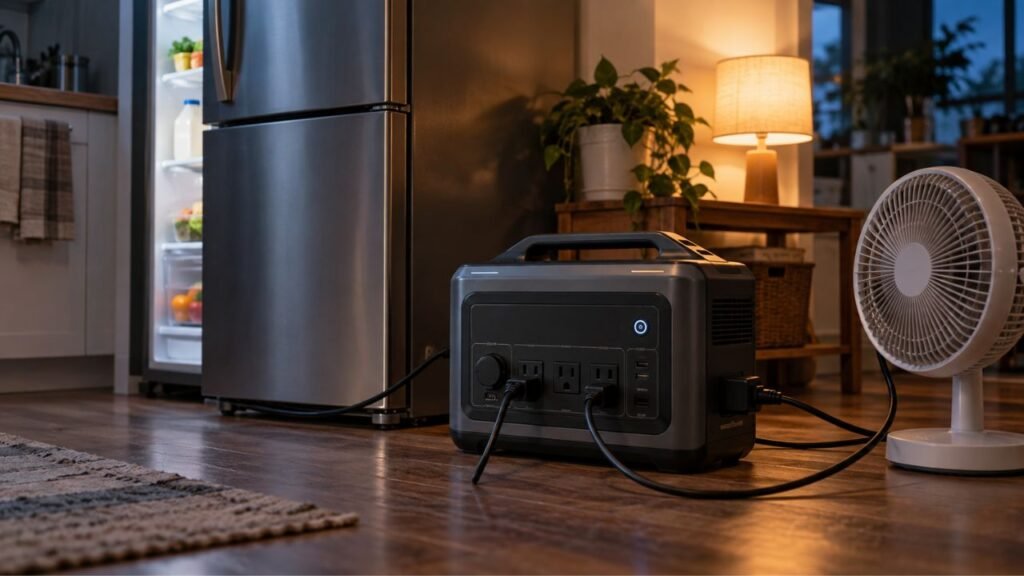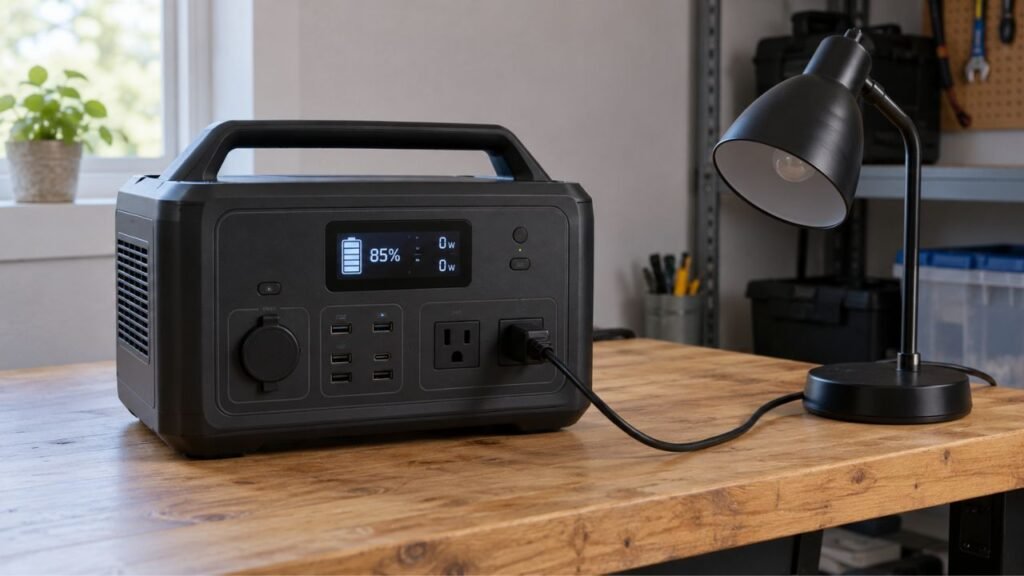
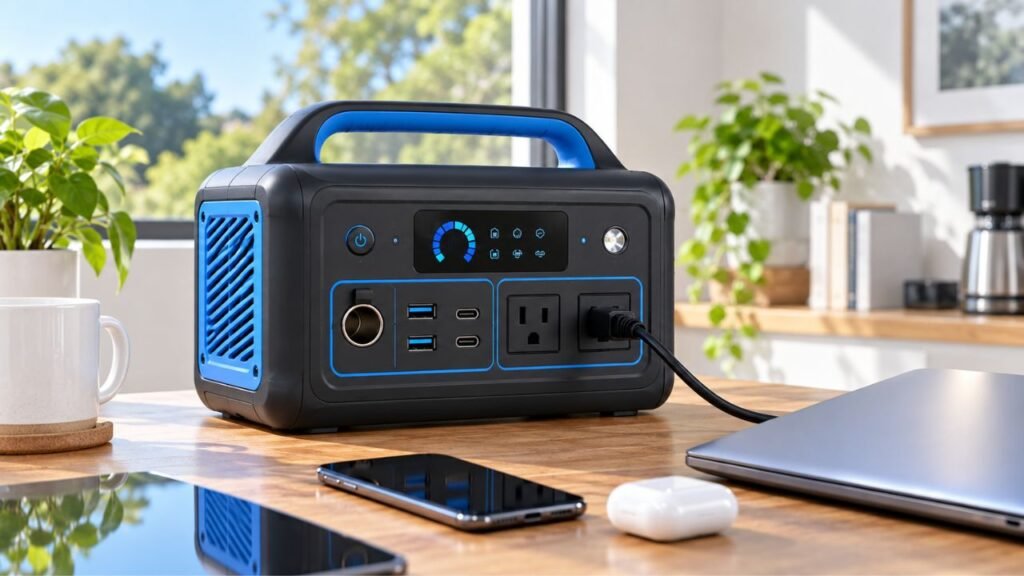
You can reduce portable power station inverter losses by limiting unnecessary AC use. Turn the AC inverter off when unused, choose DC outputs when possible, and avoid tiny AC loads. Eco settings, good ventilation, and fewer unnecessary conversions can also extend your available battery runtime.
This guide explains where inverter losses happen and how to reduce them. I’ll also show you how to test your own power station.
Key Takeaways
- Turn off the AC inverter whenever AC power is unnecessary.
- Use USB-C or 12V DC for compatible devices.
- Avoid leaving very small loads connected to AC overnight.
- Use Eco mode carefully because small loads may shut down.
- Disconnect unused chargers, adapters, and other phantom loads.
- Keep cooling vents clear and avoid excessive operating temperatures.
- Compare real AC and DC runtime instead of guessing efficiency.
- Remember that advertised battery capacity is not usable AC capacity.
Where Do Portable Power Station Inverter Losses Come From?
Inverter loss is not one single type of energy loss. Several things can consume battery power before electricity reaches your appliance.
DC-to-AC Conversion Loss
Your portable power station stores electricity inside its battery as DC power. However, standard household outlets in the USA provide 120V AC power.
The inverter converts stored DC electricity into usable AC electricity.
That conversion cannot be perfectly efficient.
Some battery energy becomes heat during the conversion process. Therefore, an appliance receiving 500Wh may require more than 500Wh from the battery.
You may see inverter efficiency figures around 85% to 95%. However, you should not assume one percentage applies constantly.
Efficiency can change with:
- The inverter design.
- The size of the connected load.
- Battery voltage.
- Internal temperature.
- Fan operation.
- Power station operating conditions.
A power station could perform efficiently at one load level. Its efficiency may be noticeably different with another appliance.
Inverter Idle or No-Load Consumption
The inverter can use electricity even when nothing consumes AC power.
Think about leaving your car running while parked. The car is not moving, but fuel is still being consumed.
A power station inverter behaves similarly.
When you switch AC output on, internal circuits remain ready. They continuously create and regulate the AC output waveform.
That process requires power.
Imagine your inverter consumes 10 watts while remaining active.
Over 24 hours:
10W × 24 hours = 240Wh
A 1,000Wh power station could lose significant energy without powering anything useful.
Actual idle consumption varies greatly between models.
This is why simply switching the AC output off can sometimes produce meaningful runtime improvements.
Low-Load Inefficiency
Small AC loads can make inverter overhead more noticeable.
Suppose you power a device requiring only 10 watts.
The inverter still needs electricity to operate itself. That overhead becomes significant compared with the tiny appliance load.
For example, imagine:
- Device consumption: 10W
- Inverter and system overhead: 8W
- Battery consumption: roughly 18W
These numbers are only examples.
However, they demonstrate why low-load efficiency matters.
Running a large inverter continuously for one tiny device can waste unnecessary battery capacity.
Double-Conversion Losses
This is one of the easiest losses to overlook.
Consider charging a USB-C laptop from your power station’s AC outlet.
The electricity may travel through this path:
Battery DC → AC inverter → laptop charger → DC laptop battery
The power station converts DC into AC first.
Then your laptop charger converts AC back into DC.
Each conversion produces some loss.
If your power station has a suitable USB-C PD port, electricity follows a simpler path:
Battery DC → regulated DC → laptop
You have removed the AC inverter from the chain.
That can make direct USB-C charging more efficient.
Heat and Internal Power Consumption
Not every power loss comes directly from inverter conversion.
Your power station contains many other electrical systems.
These may include:
- Cooling fans.
- Battery management electronics.
- Control boards.
- Display screens.
- Wi-Fi modules.
- Bluetooth modules.
- Status LEDs.
- Internal monitoring sensors.
All these components require some electricity.
Cooling fans deserve particular attention because heat increases their operation.
Keeping your station cool cannot eliminate inverter loss.
However, it can reduce unnecessary system overhead during demanding operation.
AC vs. DC: Which Uses Less Power From the Battery?
Direct DC normally uses less battery power for compatible devices. It avoids the additional DC-to-AC conversion required by household outlets.
| Device | Better Output When Available | Typical Power Path | Main Advantage |
| Smartphone | USB-C or USB-A | DC to regulated DC | Avoids AC inverter |
| USB-C laptop | USB-C PD | DC to regulated DC | Avoids inverter and AC charger |
| Wi-Fi router | Compatible DC output | DC to DC | Efficient for continuous small loads |
| 12V cooler | 12V DC | DC to regulated DC | Avoids AC conversion |
| Camping refrigerator | 12V DC when supported | DC to regulated DC | Better for long runtime |
| Household refrigerator | AC | DC to AC | Standard appliance compatibility |
| Television | Usually AC | DC to AC | Required by most household TVs |
| CPAP machine | Approved DC adapter if supported | DC to DC | May avoid AC conversion |
| Sump pump | AC | DC to AC | Necessary for most household pumps |
| Power tools | Usually AC | DC to AC | Supports standard chargers or tools |
DC operation is usually more efficient, but it is not loss-free.
USB-C and regulated 12V circuits also use conversion electronics. However, they normally avoid the additional AC inverter stage.
Use DC only when the device supports your available connection.
Never connect equipment simply because the plug appears compatible.
Voltage, current, polarity, and connector specifications must also match.
Use USB-C and 12V DC Ports Whenever They Fit
Direct DC connections are one of the easiest efficiency improvements. You can often make this change without affecting device performance.
Use USB-C PD for Compatible Laptops and Electronics
Modern portable power stations commonly include USB-C Power Delivery ports.
These ports may support:
- Smartphones.
- Tablets.
- Laptops.
- Cameras.
- Portable monitors.
- Gaming devices.
- USB-C accessories.
Suppose your laptop normally uses a 100W USB-C charger.
Using the AC charger creates this path:
Battery → inverter → AC charger → laptop
Using the power station’s USB-C output creates:
Battery → DC conversion → laptop
That simpler path can reduce conversion losses.
Check the USB-C port’s maximum output before connecting your laptop.
A 60W USB-C output may charge a 100W laptop slowly. It may also fail during heavy laptop use.
Use a port that meets the manufacturer’s charging requirements.
Use 12V DC for Compatible Equipment
Many power stations include a 12V car-style outlet.
Some also include additional DC barrel connectors.
These outputs can work well for:
- Portable refrigerators.
- Camping coolers.
- Routers.
- LED lighting.
- Air pumps.
- Portable electronics.
- Certain travel appliances.
A 12V camping refrigerator is a good example.
Running it directly from 12V can avoid leaving the AC inverter active continuously.
That can make a noticeable difference during multi-day outages.
Always check the DC output limit first.
A device requiring more current than the port supports could trigger protection.
Keep AC for Appliances That Actually Need AC
You do not need to avoid AC completely.
Many household appliances require standard AC power.
Examples include:
- Refrigerators.
- Freezers.
- Televisions.
- Microwave ovens.
- Coffee makers.
- Sump pumps.
- Power tools.
- Kitchen appliances.
- Certain medical devices.
Use AC whenever the equipment requires it.
The goal is not eliminating AC use.
The goal is avoiding AC conversion when another suitable option already exists.
Turn Off the AC Inverter When You Are Not Using It
The AC inverter can consume power simply by remaining enabled. Turning it off is often your easiest efficiency improvement.
Use the AC Output Button
Many portable power stations have separate controls for their outputs.
You may see individual buttons for:
- AC outlets.
- USB outputs.
- 12V DC outputs.
If you finish using your AC appliances, switch AC output off.
Your station can often remain powered while USB and DC ports continue operating.
For example, imagine you finished using your television before sleeping.
Your phone still needs overnight charging.
Instead of leaving AC running for eight hours, switch AC off. Then charge your phone directly from USB-C.
That prevents unnecessary inverter operation overnight.
Turn AC Output Off Through the App
Many newer portable power stations include companion smartphone apps.
Depending on your model, the app might control:
- AC output.
- DC output.
- Eco mode.
- Output timeouts.
- Charging limits.
- Display timeout.
- Wireless settings.
This can be especially useful during an outage.
You could turn AC off remotely after appliances finish running.
You avoid walking to the station every time.
Schedule AC Operation When Available
Some models provide timers or scheduled output controls.
These can help with predictable power needs.
Suppose you use AC power only several times daily.
You might need it for:
- Morning coffee.
- Evening television.
- Short appliance charging sessions.
Leaving the inverter running between those periods wastes energy.
Scheduled operation can reduce that unnecessary runtime.
Not every station provides this feature, so check your manual.
Use Eco Mode Carefully to Reduce Standby Loss
Eco mode can reduce unnecessary inverter operation automatically. However, its behavior may create problems with small or intermittent loads.
How Eco Mode Saves Battery Power
Eco mode generally watches your connected load.
If power consumption becomes very low for a certain period, the station may automatically disable its output.
This prevents the inverter from remaining active indefinitely.
It can work well when you frequently forget to disable AC manually.
For example, your laptop finishes charging during the night.
Its charger eventually draws very little electricity.
Eco mode may detect this situation and shut AC output down.
That prevents several more hours of idle inverter consumption.
Why Eco Mode Can Cause Problems With Very Small Loads
Very small devices may confuse automatic power-saving systems.
Imagine powering a tiny device using only three watts.
Your station might interpret that as no meaningful load.
It may then turn AC output off.
This could happen with certain:
- Routers.
- Chargers.
- LED lights.
- Small electronics.
- Monitoring equipment.
Eco thresholds differ between manufacturers and models.
Check your station’s settings before relying on Eco mode overnight.
Be Careful With Intermittent Loads
Some appliances do not consume power continuously.
A refrigerator is a common example.
Its compressor runs when cooling is required.
Then the compressor switches off after reaching temperature.
Power consumption can become very low during that resting period.
An aggressive Eco setting could interpret the low consumption incorrectly.
The AC output may shut down before the compressor restarts.
Similar situations can occur with:
- Freezers.
- Pumps.
- Thermostatically controlled appliances.
- Cycling chargers.
- Automatic equipment.
Test Eco mode before relying on it during an emergency.
Reliability Matters More Than Saving a Few Watts
Do not prioritize efficiency above equipment reliability.
If an appliance must always remain available, keeping AC enabled may be necessary.
This is especially important with critical equipment.
For medical equipment, follow both equipment and power station instructions.
A few saved watt-hours are not worth an unreliable power connection.
Avoid Running Tiny AC Loads for Long Periods
Very small AC loads can make inverter overhead disproportionately expensive. Consider direct DC whenever a compatible alternative exists.
Imagine using an AC outlet for a five-watt phone charger.
The inverter remains active merely to provide those five watts.
Its own consumption may represent a substantial portion of battery drain.
A USB port usually makes more sense.
The same principle applies to routers and small electronics.
However, do not deliberately add another appliance simply to increase inverter load.
Adding unnecessary loads does not improve your overall energy efficiency.
Your goal is reducing total battery consumption.
It is also incorrect to assume every inverter performs best at exactly 50%, 80%, or another universal load.
Different inverter designs have different efficiency curves.
Simply avoid running AC unnecessarily for extremely small loads.
Reduce Phantom Loads and Unnecessary Power Conversions
Some devices consume electricity even when they appear inactive. Removing those loads can extend runtime during long outages.
- Unplug empty AC chargers after charging finishes.
- Remove power bricks that are no longer needed.
- Charge USB-C devices directly whenever practical.
- Disconnect unused AC power strips.
- Turn unused output groups off.
- Disable unnecessary built-in lighting when possible.
- Reduce display timeout where settings allow.
- Disable wireless features if you genuinely never use them.
- Avoid leaving unnecessary adapters permanently connected.
- Remove chargers from AC outlets after devices reach full charge.
Not all these losses come directly from the inverter.
Some reduce total system consumption instead.
That distinction matters when diagnosing unexpected battery drain.
Keep the Power Station Cool and Its Vents Clear
Excessive heat can increase system losses and cooling requirements. Good airflow helps the station operate more efficiently and reliably.
Keep your portable power station in a ventilated area.
Never block its cooling vents with:
- Clothing.
- Blankets.
- Boxes.
- Walls.
- Furniture.
- Camping gear.
Do not place the station inside a tightly enclosed cabinet while running heavy appliances.
Avoid direct summer sunlight whenever possible.
This matters particularly inside vehicles and garages.
An enclosed vehicle can become extremely hot during sunny weather.
Higher internal temperatures may trigger cooling fans more frequently.
Heavy thermal conditions may also reduce available output.
Keep the station within the manufacturer’s recommended operating temperature range.
You do not need an air-conditioned room for normal operation.
You simply need reasonable airflow and protection from excessive heat.
Check Firmware and Power-Saving Settings
Modern portable power stations use software to control many functions. Reviewing these settings can sometimes improve standby efficiency significantly.
- Install manufacturer firmware updates when appropriate.
- Review AC timeout settings.
- Check whether AC Eco mode is enabled.
- Review DC Eco settings separately.
- Shorten display timeout when practical.
- Review automatic shutdown settings.
- Turn unused wireless features off when appropriate.
- Check charging and discharge settings after firmware updates.
Do not assume every firmware update improves inverter efficiency.
Some updates focus on charging, connectivity, or other features.
However, manufacturers sometimes change idle consumption or power-management behavior through firmware.
Review release notes when available.
How Much Battery Power Can Inverter Losses Actually Waste?
The actual amount depends on the station and connected load. Simple calculations can still show why small efficiency changes matter.
Conversion Loss Example
Suppose 100Wh leaves your battery.
Imagine the AC conversion path operates at 90% efficiency.
Approximately:
100Wh × 0.90 = 90Wh
About 90Wh reaches the AC side.
Roughly 10Wh becomes conversion loss.
Now scale that example to 1,000Wh.
At the same theoretical efficiency:
1,000Wh × 0.90 = 900Wh
Roughly 900Wh reaches the AC output.
Remember, this is an illustration.
Your actual power station may perform differently.
Why Idle Draw Becomes More Important Over Time
Idle power looks small until you multiply it by time.
Use this formula:
Idle Energy Used = Idle Watts × Hours
Suppose your AC system consumes eight watts while idle.
Over 12 hours:
8W × 12 = 96Wh
Over 24 hours:
8W × 24 = 192Wh
During a three-day outage:
8W × 72 = 576Wh
Again, these numbers are examples.
Your actual station could consume more or less.
The important lesson is that time multiplies small continuous losses.
Why Small Loads Feel the Loss More
Suppose an appliance consumes 500 watts.
An additional several watts of inverter overhead represents a small percentage.
Now imagine an appliance consumes only 10 watts.
The same inverter overhead suddenly becomes much more significant.
That is why low-power overnight devices deserve attention.
Routers, chargers, LED lights, and similar equipment are good examples.
Using direct DC can often help with these loads.
How to Test Your Portable Power Station for Inverter Losses
Testing your station gives better information than relying on generic percentages. You can perform several useful comparisons without opening the unit.
Test AC Idle Consumption
Start with your power station reasonably charged.
Then:
- Disconnect every AC appliance.
- Switch unnecessary DC outputs off.
- Turn AC output on.
- Record the battery percentage.
- Leave the station untouched for several hours.
- Record the battery percentage again.
For a longer test, you could run it overnight.
If the percentage drops noticeably without an AC load, idle consumption may be significant.
However, battery percentage displays are estimates.
A one-percent change does not always equal exactly one percent of usable energy.
Use longer testing periods when possible.
Compare AC-On and AC-Off Standby
You can perform a second test another day.
Start at approximately the same battery percentage.
This time, leave the AC output completely off.
Try to keep:
- Temperature similar.
- Test duration similar.
- Wireless settings similar.
- Other outputs similar.
Compare the battery drop between both tests.
A larger drop with AC enabled indicates inverter-related standby consumption.
Test AC Usable Capacity
A plug-in energy meter can provide better information.
Connect a stable AC load through the meter.
Run the appliance until the station reaches its normal discharge cutoff.
Record how many watt-hours the meter reports.
Then compare that number with the station’s rated battery capacity.
For example:
Rated battery capacity:
1,024Wh
Measured AC energy delivered:
870Wh
Do not call the difference pure inverter loss.
The difference can include:
- Inverter conversion loss.
- Battery management reserves.
- Internal electronics.
- Cooling fans.
- Battery voltage behavior.
- Temperature effects.
- Measurement differences.
Therefore, this test shows overall AC-path efficiency.
It does not isolate inverter efficiency perfectly.
Compare AC With DC
This test works best with equipment supporting both connections.
A USB-C laptop makes a useful example.
First, charge or operate it through its standard AC charger.
Record approximate power station consumption.
Then repeat using the station’s USB-C PD output.
Keep the laptop’s workload similar.
You may notice better battery runtime through direct USB-C.
The difference will vary between devices and stations.
Repeat the Test
One test can sometimes produce misleading results.
Battery percentage estimation may vary slightly.
Temperature can change.
Cooling fans may turn on during one test.
Device power consumption can fluctuate.
Repeating your test improves confidence in the result.
You do not need laboratory equipment.
You simply want enough evidence to identify unnecessary losses.
Common Mistakes That Increase Portable Power Station Inverter Losses
Many inverter losses come from simple operating habits. Correcting them can improve runtime without buying another power station.
- Leaving AC output enabled overnight without needing it.
- Charging phones through AC instead of available USB ports.
- Assuming one efficiency percentage applies at every load.
- Treating all battery loss as inverter loss.
- Assuming direct DC has absolutely zero conversion loss.
- Running tiny loads continuously through a large AC inverter.
- Blocking ventilation openings.
- Leaving unnecessary chargers plugged into AC outlets.
- Using Eco mode without testing small appliances first.
- Disabling Eco mode permanently without checking its usefulness.
- Ignoring available power-saving settings.
- Assuming rated battery Wh equals usable AC energy.
- Running unnecessary displays and lights continuously.
- Using multiple adapters when direct charging is available.
Fixing just a few of these habits can noticeably improve runtime.
When Should You Leave the AC Inverter Running?
Turning AC off saves energy, but continuous AC operation is sometimes necessary. Your required appliances should always determine the final decision.
You may need AC continuously for a refrigerator or freezer.
The same applies to certain pumps and automatic equipment.
A refrigerator compressor may remain off for long periods.
However, it still needs AC ready when the compressor restarts.
You may also need continuous AC for:
- Sump pumps.
- Freezers.
- Medical equipment.
- Security equipment.
- Communication devices.
- Automatic household equipment.
Do not repeatedly switch AC off merely to save small amounts.
Efficiency is important, but reliable operation matters more.
Instead, focus on unnecessary AC use.
If your only overnight loads are phones and USB equipment, disable AC.
If your refrigerator needs AC continuously, leave it running.
That simple distinction prevents both wasted energy and unnecessary inconvenience.
Final Words
Reducing portable power station inverter losses does not require complicated modifications. Most improvements come from changing how you use your available outputs.
Start by turning AC off whenever nobody needs it. Then move compatible phones, laptops, routers, and coolers to direct DC outputs.
Pay particular attention to tiny loads running for many hours. Inverter idle consumption can matter more than conversion efficiency in those situations.
Eco modes and automatic shutdown settings can provide additional savings. Just test them before relying on refrigerators or other intermittent equipment.
Finally, measure your own power station whenever possible.
Real-world testing tells you far more than one advertised efficiency number.
Related FAQs
How Much Power Does a Portable Power Station Inverter Use When Idle?
There is no universal idle consumption figure for portable power stations. Inverter size, design, operating mode, firmware, and internal electronics affect consumption. Testing your station with AC enabled and no connected load provides a useful real-world estimate.
Does Using DC Use Less Battery Than AC?
Using direct DC usually consumes less battery for compatible devices because you avoid the DC-to-AC inverter stage. However, USB-C and 12V regulated outputs still involve electrical conversion, so direct DC should not be considered completely loss-free.
Should I Turn Off the AC Output on My Power Station?
Turn AC output off whenever no AC appliance needs electricity. This prevents unnecessary inverter idle consumption. Leave AC enabled when refrigerators, pumps, or other important equipment must remain ready to operate automatically.
Does Eco Mode Reduce Inverter Losses?
Eco mode can reduce inverter idle losses by shutting AC output down when power consumption stays below a defined threshold. However, behavior differs between models, and extremely small loads may accidentally trigger automatic shutdown.
Can Eco Mode Turn Off a Small Device?
Yes. Some power stations may interpret very small electrical loads as an unused output. If your router, light, charger, or another low-power device unexpectedly shuts down, check your Eco mode threshold or disable that setting.
Is an Inverter Less Efficient at Low Loads?
An inverter can become less efficient at very small loads because its fixed operating overhead represents a larger portion of total battery consumption. The exact efficiency curve depends on your specific power station and inverter design.
Does USB-C Bypass the Inverter?
USB-C normally operates without activating the power station’s AC inverter. Electricity still passes through DC regulation electronics, but avoiding the DC-to-AC stage can reduce total conversion losses for compatible phones, tablets, and laptops.
Why Does a 1,000Wh Power Station Not Deliver 1,000Wh Through AC?
Rated battery capacity describes stored energy, not guaranteed AC output. Inverter conversion, internal electronics, battery protection reserves, temperature, cooling fans, and other system losses reduce the amount of usable AC energy reaching your appliances.
Can You Completely Eliminate Portable Power Station Inverter Loss?
No. Every real DC-to-AC inverter loses some electricity during conversion and operation. You can reduce those losses substantially by limiting unnecessary AC usage, choosing direct DC connections, controlling idle operation, and using suitable power-saving settings.
Is It Better to Turn the Whole Power Station Off?
Turn the entire station off when you need no outputs at all. If you still require USB or 12V power, keeping the station active while switching only the AC inverter off can provide better functionality with lower energy consumption.
Does Leaving an AC Charger Plugged In Waste Battery Power?
It can. Some chargers consume small amounts of electricity even without actively charging a device. More importantly, keeping AC output active solely for an unused charger can create additional inverter idle consumption over many hours.
Can Heat Increase Portable Power Station Energy Loss?
Yes. Excessive heat can increase electrical resistance, trigger cooling fans, and cause thermal protection or reduced performance. Keep your station shaded, well ventilated, and within the manufacturer’s recommended operating temperature range.

Warren Turner writes practical guides and reviews on generators, portable power stations, and battery backup systems. He focuses on real-world performance, everyday power needs, and helping readers choose dependable equipment without unnecessary complexity.