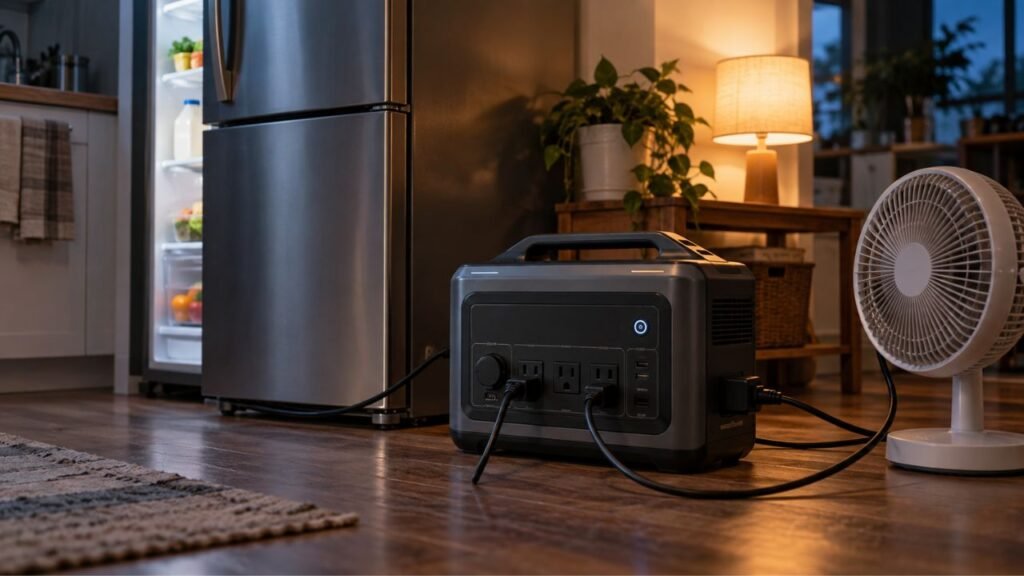
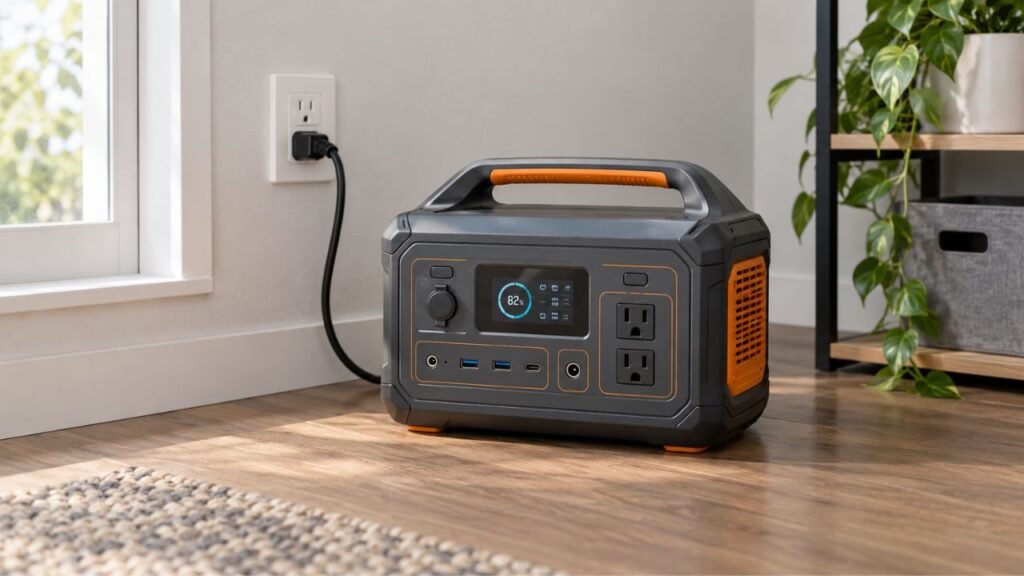
UPS mode on a portable power station generally switches to battery power faster than EPS mode, making it better for electronics that may restart during brief outages. EPS mode usually allows a slightly longer interruption and works well for less-sensitive household loads. However, actual transfer time matters more than the UPS or EPS label.
In this guide, I’ll explain how both modes work and where they differ. We’ll also cover transfer time, device compatibility, bypass power, pass-through charging, and dedicated UPS systems.
Key Takeaways
- UPS mode usually provides faster automatic backup switching than EPS mode.
- EPS mode works well when a brief power interruption is acceptable.
- UPS and EPS terminology can vary between power station manufacturers.
- A 10 ms UPS transfer is not equal to zero-transfer operation.
- Device power supplies determine whether short interruptions cause restarts.
- Pass-through charging does not automatically make a power station a UPS.
Portable Power Station UPS Mode vs EPS Mode: Quick Comparison
UPS and EPS modes both provide automatic backup during power failures. Their biggest differences involve switching speed, device sensitivity, and operating design.
| Feature | UPS Mode | EPS Mode |
| Main purpose | Minimize power interruption | Provide automatic emergency backup |
| Typical transfer time | Often under 10–20 ms | Often around 20–30 ms |
| Guaranteed 0 ms transfer | Usually no | No |
| Best for | Computers, NAS systems, networking equipment | Refrigerators, lights, fans, general appliances |
| Risk of device restart | Lower | Higher for sensitive electronics |
| Normal grid operation | Depends on power station design | Commonly uses AC bypass |
| Battery used during outage | Yes | Yes |
| Same as pass-through charging | No | No |
| Same as online UPS | Usually no | No |
| Suitable for 24/7 use | Model-dependent | Model-dependent |
The important word here is typically. Portable power station manufacturers do not always use UPS and EPS terminology identically.
One manufacturer might advertise a 10 ms UPS function. Another could call a similar system an EPS function.
Always check the actual specifications before protecting sensitive electronics.
What Is UPS Mode on a Portable Power Station?
UPS stands for Uninterruptible Power Supply. On portable power stations, UPS mode usually means the unit automatically switches from incoming AC power to battery-powered inverter output when utility power disappears.
You normally keep the power station connected to a wall outlet. Your computer, router, NAS, or another device connects to the station.
While utility power remains available, the station supplies your equipment normally. It may also keep its internal battery charged.
When grid power disappears, the station detects the failure. Its inverter then takes over and supplies power from the battery.
The switching process often happens within several milliseconds.
That short interruption may be fast enough for many electronics. However, it is important not to assume every UPS-labelled power station provides truly uninterrupted output.
Many portable power stations actually operate more like standby UPS systems.
They normally pass utility power through while the grid works. Their inverter takes over only after detecting an outage.
That design still involves a brief switching period.
What Is EPS Mode on a Portable Power Station?
EPS stands for Emergency Power Supply. In portable power stations, EPS mode provides automatic battery backup after incoming utility power disappears.
The operating process looks very similar to standby UPS operation.
You connect the power station to a wall outlet. Your appliances then connect to the station’s AC outlets.
During normal operation, incoming AC power commonly supplies the connected appliances. Meanwhile, the battery remains charged and ready.
When an outage occurs, the station detects the missing input. Its inverter begins supplying power from the battery.
The biggest practical difference is usually transfer speed.
EPS systems may take longer to switch than products advertised with UPS functionality.
A transfer around 20–30 milliseconds might be completely acceptable for lights, refrigerators, fans, televisions, and similar equipment.
However, some computers or networking devices could restart during that gap.
Keep in mind that EPS also has broader meanings within commercial emergency-power systems. In this article, I am specifically referring to EPS functionality built into portable power stations.
How UPS and EPS Switching Actually Work
Understanding the power path makes the difference much easier to understand. Both systems move through several stages during an outage.
Normal Operation With Grid Power Available
Imagine your portable power station sitting between your wall outlet and computer.
Utility power enters the station through its AC charging input. The station then supplies power to its AC output ports.
Depending on the model, incoming electricity may travel through an internal bypass path.
The inverter does not necessarily power the load continuously.
Meanwhile, the internal battery can remain charged and ready.
This arrangement reduces unnecessary battery cycling during normal grid operation.
What Happens When Grid Power Fails
The station continuously watches the incoming AC supply.
When electricity disappears or falls outside acceptable limits, the station detects the problem.
It then stops depending on the incoming grid supply.
Battery power feeds the internal inverter, which produces AC electricity. That electricity then continues powering connected appliances.
The time between losing grid power and receiving inverter power is the transfer time.
That transfer time determines whether sensitive equipment notices the outage.
What Happens When Grid Power Returns
Once utility power returns, the station detects stable AC input again.
It normally transfers connected loads back to incoming grid power.
The battery can then begin recharging automatically.
You usually do not need to unplug appliances or restart the station.
That automatic operation makes both UPS and EPS functions convenient during short outages.
Is UPS Mode Really Uninterruptible?
The word “uninterruptible” can create unrealistic expectations with portable power stations. A product can have UPS functionality while still having measurable transfer time.
Standby UPS Can Still Have a Transfer Delay
A standby UPS normally allows utility electricity to power connected equipment.
Its inverter waits until incoming power fails.
After detecting an outage, the system switches the connected load to battery-powered inverter output.
That transition requires a short amount of time.
Depending on the system, the interruption might last several milliseconds.
Most people never notice such a short break.
Sensitive electronics sometimes do.
Online UPS Provides Zero Transfer Time
An online double-conversion UPS works differently.
Incoming AC electricity is first converted into DC power. The system then converts that DC power back into controlled AC output.
Connected equipment receives power from the inverter continuously.
When utility electricity disappears, the battery simply continues feeding the existing DC system.
There is no normal switching event between grid and inverter output.
That is why an online UPS can provide zero transfer time.
This design is commonly used where uninterrupted operation is especially important.
Servers, telecommunications systems, laboratories, and critical business equipment may use online UPS systems.
Why a Portable Power Station Can Still Be Called a UPS
A portable power station does not need online double-conversion architecture to offer useful UPS functionality.
Many modern stations combine several useful backup features:
- Automatic outage detection
- Fast transfer times
- Pure sine wave inverter output
- Large lithium battery capacity
- Long backup runtime
- Computer communication on selected models
- Automatic shutdown features on selected models
These capabilities can make a portable power station excellent for home-office backup.
Just remember that 10 ms UPS operation is still different from zero-transfer online UPS operation.
Why Transfer Time Matters More Than the UPS or EPS Label
Transfer time tells you how long connected equipment temporarily loses normal AC power. That specification is often more useful than the marketing label.
What Does 0 ms Transfer Time Mean?
A zero-millisecond transfer means the connected equipment experiences no switching interruption when utility power disappears.
Online double-conversion UPS systems can provide this type of operation.
The inverter already supplies the connected equipment before the outage begins.
Nothing needs to switch from grid output to inverter output.
Is Under 10 ms Fast Enough?
For many household electronics, a transfer under 10 milliseconds is extremely fast.
Desktop computers, routers, monitors, networking devices, and other electronics may continue operating normally.
However, you should not assume that every device tolerates 10 milliseconds.
Different power supplies store different amounts of electrical energy internally.
Operating load also changes their ability to survive short interruptions.
One computer may continue working perfectly.
Another computer could reboot using the exact same power station.
What Happens With a 20–30 ms Transfer?
A 20–30 millisecond interruption remains extremely short from a human perspective.
You probably will not notice a lamp losing power that briefly.
Many refrigerators, freezers, televisions, fans, and chargers will also tolerate it.
Sensitive electronics can behave differently.
A desktop computer may restart if its power supply cannot maintain internal voltage during that interruption.
A NAS could lose power unexpectedly.
A network switch could reboot and temporarily disconnect your devices.
That is why EPS mode should not automatically be considered suitable for everything.
Why One Computer Survives the Switch While Another Reboots
Two computers can react differently to the same transfer time. The reason usually involves their internal power supplies.
Power Supply Hold-Up Time
Computer power supplies contain capacitors that briefly store electrical energy.
When wall power disappears, these capacitors do not become empty immediately.
They can keep the computer receiving usable DC power for a short period.
This period is called hold-up time.
For example, imagine a desktop power supply can maintain output for 15 milliseconds.
Your portable power station switches to battery power within 10 milliseconds.
The computer may never notice the interruption.
Now imagine an EPS system requires 25 milliseconds.
The stored energy could run out before backup power arrives.
The computer may then shut down or restart.
Device Load Can Change Hold-Up Performance
Hold-up performance is not always identical at every operating load.
A heavily loaded computer draws stored capacitor energy faster.
Gaming, video rendering, large software workloads, and demanding processors can increase power consumption.
That means a computer might survive an outage while sitting idle.
The same computer could reboot while operating near maximum load.
Testing under realistic conditions is therefore important.
Manufacturer Ratings Still Matter
Do not judge compatibility using transfer time alone.
Also check the requirements of the device receiving backup power.
For sensitive equipment, review its power specifications and backup requirements.
The safest rule is simple:
The connected device must tolerate the portable power station’s actual transfer time.
Which Devices Are Better for UPS Mode?
UPS mode makes the most sense when a brief interruption could cause a restart, connection loss, corrupted work, or unwanted shutdown.
Good candidates can include:
- Desktop computers
- NAS storage systems
- Home servers
- Network switches
- Routers and modems
- Security system equipment
- 3D printers
- Workstations
- Recording equipment
- Home-office electronics
However, UPS mode does not guarantee compatibility with every device.
Compare the equipment’s requirements against the station’s rated transfer time.
Which Devices Can Usually Use EPS Mode?
EPS mode works well when equipment can tolerate a brief interruption. Many ordinary household appliances fall into this category.
Common examples include:
- Refrigerators
- Freezers
- Lamps
- LED lighting
- Fans
- Televisions
- Phone chargers
- Battery chargers
- Small household appliances
Motors and compressors require another consideration: startup surge power.
For example, a refrigerator might tolerate EPS transfer time perfectly. However, its compressor could require several times its normal running wattage during startup.
Transfer time and surge capacity are separate specifications.
Check both before depending on your power station.
Can You Use UPS or EPS Mode for Medical Equipment?
Never assume a portable power station is suitable for medical equipment simply because its product page mentions UPS functionality.
Medical devices can have very specific power requirements.
Check the equipment manufacturer’s recommendations first.
Important requirements may include:
- Maximum allowable transfer time
- Required AC voltage
- Required frequency
- Grounding requirements
- Output waveform
- Backup runtime
- Power capacity
- Surge requirements
Some equipment may work safely with a portable power station.
Other equipment may require an approved dedicated UPS or specialized backup system.
When uninterrupted operation affects medical safety, follow the medical equipment manufacturer’s backup-power requirements rather than relying on general portable power station claims.
UPS Mode vs Pass-Through Charging: Are They the Same?
These terms often appear together, but they describe different features. A power station can support pass-through charging without providing true UPS functionality.
What Pass-Through Charging Means
Pass-through charging means the power station can receive charging input while simultaneously powering connected equipment.
For example, you might plug the station into your wall outlet.
Your laptop then remains connected to the station’s AC output.
The station can charge while continuing to power the laptop.
That is pass-through operation.
Why Pass-Through Does Not Automatically Mean UPS
Pass-through charging alone does not tell you what happens during an outage.
A true automatic backup function also needs reliable outage detection and transfer behavior.
Important specifications include:
- Automatic transfer capability
- Transfer time
- Supported AC outlets
- AC bypass limits
- Inverter behavior
- Output stability
A power station may support simultaneous charging and output without providing fast automatic backup switching.
What Bypass Mode Means
Bypass mode generally means incoming AC power supplies connected AC loads directly through the station’s internal power path.
The inverter may not be supplying those loads continuously.
When utility power fails, the station must switch from incoming AC power to battery-powered inverter output.
This switching process creates the transfer delay.
Understanding bypass operation helps explain why many portable power station UPS systems are not zero-transfer systems.
Does UPS Mode Clean or Regulate the Incoming Power?
Do not automatically assume UPS mode provides complete power conditioning. Backup switching and power conditioning are separate capabilities.
Pure Sine Wave Does Not Automatically Mean Power Conditioning
Many portable power stations advertise pure sine wave AC output.
That specification describes the waveform produced by the inverter.
It is important when the station operates from battery power.
However, pure sine wave inverter output does not automatically mean the station continuously recreates incoming utility electricity.
If the station uses AC bypass during normal operation, connected equipment may still receive incoming utility power directly through that path.
Dedicated Line-Interactive UPS and AVR
Many line-interactive UPS systems include automatic voltage regulation, commonly called AVR.
AVR can correct certain incoming voltage problems without switching fully to battery power.
For example, it may raise low voltage or reduce excessive voltage.
Not every portable power station provides the same functionality.
Online Double-Conversion UPS
Online UPS systems continuously regenerate AC output through their inverter.
This architecture provides stronger separation between the connected equipment and incoming utility disturbances.
It also provides zero-transfer battery backup during grid failure.
That is one reason businesses often choose online UPS systems for highly sensitive equipment.
UPS Mode vs EPS Mode for Common Devices
Different appliances have different sensitivity levels. This table gives you a practical starting point rather than an absolute rule.
| Device | UPS Mode Preferred? | EPS Often Acceptable? | Main Concern |
| Desktop computer | Yes | Sometimes | Transfer time and PSU hold-up |
| Gaming PC | Yes | Riskier | Load and power supply tolerance |
| NAS | Yes | Depends | Unexpected shutdown and data integrity |
| Home server | Yes | Depends | Uptime and shutdown management |
| Router | Usually | Often | Adapter tolerance and reboot time |
| Network switch | Usually | Often | Connection interruption |
| Refrigerator | Usually unnecessary | Usually | Compressor startup surge |
| Freezer | Usually unnecessary | Usually | Startup surge |
| Television | Optional | Usually | Temporary restart |
| Lighting | Usually unnecessary | Yes | Low sensitivity |
| Fan | Usually unnecessary | Yes | Brief interruption |
| Medical equipment | Follow manufacturer | Do not assume | Device-specific requirements |
Treat this table as guidance rather than a compatibility guarantee.
The equipment manufacturer’s requirements should always come first.
Does UPS Mode Reduce Portable Power Station Battery Life?
Using UPS mode does not automatically damage a portable power station battery.
During normal grid operation, many stations primarily use AC bypass rather than continuously discharging and recharging the battery.
However, keeping any battery system connected around the clock creates different conditions than occasional emergency use.
Battery aging can be affected by:
- Battery chemistry
- Temperature
- State of charge
- Charging voltage
- Number of cycles
- Time spent fully charged
- Manufacturer charging controls
Modern LiFePO4 portable power stations generally handle frequent use better than older lithium chemistries.
Still, follow the manufacturer’s guidance for long-term UPS operation.
Some stations also allow you to set maximum charging levels or backup reserves.
Those settings can help balance battery readiness with long-term battery care.
Can You Leave a Portable Power Station in UPS Mode 24/7?
Some portable power stations are specifically designed for continuous UPS or EPS operation. Others have limitations you should understand first.
Before leaving the station connected continuously, check:
- Whether continuous UPS operation is supported
- Maximum AC bypass current
- UPS-mode load limits
- Ventilation requirements
- Battery charging limits
- Backup reserve settings
- AC outlet timeout settings
- Automatic sleep functions
- Firmware behavior
- Manufacturer safety instructions
Good ventilation is especially important.
Do not place the station inside a sealed cabinet simply because it remains on bypass power most of the time.
Internal electronics and charging components can still produce heat.
UPS Mode May Have a Different Power Limit
One detail many owners overlook is the AC bypass limit.
Your power station might advertise a powerful inverter.
For example, imagine a station offering 2,400 watts of battery-powered AC output.
That does not automatically mean you can pass 2,400 watts through the unit continuously while using UPS mode.
The bypass circuit could have a different current or wattage limit.
Some high-power features may also become unavailable while AC input remains connected.
Before using UPS mode with large loads, check:
- Maximum bypass wattage
- Maximum bypass amperage
- Total UPS-supported load
- Supported AC outlets
- Surge behavior
- High-power mode availability
This matters with appliances such as heaters, microwaves, coffee makers, and other high-wattage equipment.
Never assume the inverter rating equals the bypass rating.
How to Tell Whether Your Portable Power Station Has Real UPS Capability
The product name alone does not tell you enough. I recommend checking the technical specifications before buying or relying on the station.
Look for these details:
- Manufacturer-rated transfer time
- Automatic outage switching
- Standby, line-interactive, or online topology
- Supported UPS outlets
- Maximum AC bypass load
- Pure sine wave inverter output
- Voltage and frequency specifications
- Computer shutdown communication
- USB or network management support
- 24/7 operating approval
- Battery reserve settings
- AC outlet timeout behavior
For computers or NAS systems, also check whether the station can communicate with your device.
Automatic graceful shutdown can be extremely valuable during longer outages.
The battery may eventually become empty even when transfer performance is perfect.
How to Test UPS or EPS Mode Before Depending on It
You should test your backup setup before the first real outage. A simple controlled test can reveal compatibility problems immediately.
- Fully charge your portable power station.
- Connect the station to a wall outlet.
- Connect only the equipment you want to test.
- Keep the load below the stated bypass limit.
- Confirm the required UPS or EPS function is enabled.
- Let the connected equipment operate normally.
- Disconnect the station’s AC input from the wall.
- Watch whether the equipment remains running.
- Check for restarts, errors, or connection losses.
- Restore wall power and confirm normal recovery.
For computers, test under realistic operating conditions.
An idle desktop might survive a transfer that causes problems under heavy load.
Do not deliberately interrupt critical medical, safety, or industrial equipment simply to experiment.
Follow the equipment manufacturer’s testing procedures in those situations.
Portable Power Station UPS Mode vs Dedicated UPS
Portable power stations and dedicated UPS systems overlap considerably. However, each solution has advantages depending on your priorities.
Choose a Portable Power Station When…
A portable power station makes sense when you want backup power that serves several purposes.
It can be a good choice when:
- Longer battery runtime matters
- Solar charging is useful
- Portability matters
- You need emergency home power
- You want power during camping or travel
- Your devices tolerate the transfer time
- Large battery capacity matters more than advanced power conditioning
A power station can protect office equipment during an outage and later power appliances elsewhere.
That flexibility is difficult to match with a traditional computer UPS.
Choose a Dedicated UPS When…
A dedicated UPS may be the better choice when protecting equipment is the primary goal.
Consider one when:
- Zero-transfer operation is required
- Advanced voltage regulation matters
- Continuous power conditioning is required
- Server management features matter
- Graceful shutdown support is essential
- Equipment documentation specifies a UPS topology
- IT reliability matters more than portability
For especially sensitive loads, an online double-conversion UPS remains the stronger option.
Use Both When You Need Fast Switching and Long Runtime
Some users combine a dedicated UPS with a larger backup energy source.
The UPS handles immediate power quality and fast switching.
A larger battery backup system then provides longer runtime.
However, combining power systems requires compatible inputs, outputs, charging behavior, and grounding arrangements.
Follow each manufacturer’s instructions before creating a combined setup.
Common UPS and EPS Mistakes to Avoid
Most problems happen because users focus on marketing terms instead of actual specifications.
Avoid these common mistakes:
- Assuming every UPS-labelled station provides zero transfer time
- Assuming every EPS system switches in exactly 20–30 ms
- Treating pass-through charging as UPS functionality
- Assuming pure sine wave means online UPS operation
- Ignoring the station’s AC bypass limit
- Comparing only battery capacity
- Ignoring connected-device hold-up time
- Testing a computer only while idle
- Assuming one successful device guarantees universal compatibility
- Ignoring automatic outlet timeout settings
- Depending on UPS mode without testing it
- Using portable stations for critical equipment without checking requirements
A few minutes spent checking specifications can prevent unexpected shutdowns later.
UPS Mode or EPS Mode: Which Should You Use?
The best mode depends on what you are powering. Start with the consequences of a brief interruption rather than the appliance’s wattage alone.
Use UPS Mode If a Brief Power Drop Could Restart Your Device
UPS mode is usually the better choice for computers, NAS systems, home servers, networking equipment, and similar electronics.
Look for the shortest manufacturer-rated transfer time your equipment requires.
For sensitive electronics, under 10 milliseconds provides more margin than 20–30 milliseconds.
Still, shorter does not automatically mean universal compatibility.
Test the actual equipment whenever possible.
Use EPS Mode If a Short Interruption Is Acceptable
EPS mode is usually suitable for appliances that tolerate brief interruptions.
Refrigerators, freezers, lighting, fans, televisions, and chargers are common examples.
For these loads, inverter capacity and startup surge may matter more than millisecond-level switching.
Make sure the station can handle both running and startup wattage.
Use an Online UPS If Zero Transfer Time Is Required
If your equipment specification requires truly uninterrupted power, do not rely solely on a portable station advertising a fast UPS function.
A 10 ms transfer is still a transfer.
Online double-conversion UPS systems continuously power connected equipment through their inverter.
That architecture eliminates the normal switchover interruption.
Choose based on your equipment’s actual power requirements, not simply the UPS or EPS label printed on the product page.
Conclusion
UPS mode generally provides faster backup switching, making it better for devices sensitive to short power interruptions. EPS mode usually works well for ordinary household appliances that tolerate a brief gap.
However, transfer time tells only part of the story.
You should also check device tolerance, bypass limits, inverter output, battery runtime, pass-through behavior, and continuous-use requirements.
If you remember one thing, make it this: choose the backup mode based on actual specifications and connected equipment requirements, not marketing terminology alone.
Related FAQs
Is EPS Mode the Same as UPS Mode?
No. Both can automatically provide battery backup, but UPS mode generally emphasizes faster switching for sensitive electronics, while EPS mode usually accepts a slightly longer transfer delay.
Is a 20 ms Transfer Time Good Enough for a Computer?
It may be, but compatibility depends on the computer’s power supply, operating load, and hold-up time. Some computers can tolerate 20 ms, while others may restart.
Is 10 ms Considered a True UPS?
A system with a 10 ms transfer can still function as a standby UPS, but it does not provide the zero-transfer operation associated with online double-conversion UPS systems.
Can a Portable Power Station Replace a Computer UPS?
Sometimes. A fast-switching portable power station can protect many computers, but dedicated UPS systems may provide better voltage regulation, shutdown communication, and zero-transfer options.
Does UPS Mode Use the Battery All the Time?
Not necessarily. Many portable power stations use AC bypass during normal grid operation and switch to battery-powered inverter output only when incoming power fails.
Does EPS Mode Charge the Battery While Powering Appliances?
Many EPS-capable stations can recharge their batteries while supplying connected appliances through AC bypass. However, charging and bypass behavior depends on the specific model.
Is Pass-Through Charging the Same as EPS?
No. Pass-through charging means a station can charge while powering connected devices. EPS adds automatic backup switching when incoming utility power disappears.
Will a Refrigerator Notice a 30 ms EPS Switchover?
Most refrigerators are less sensitive to brief interruptions than computers. However, you should still check compressor startup surge and the refrigerator manufacturer’s power requirements.
Can UPS Mode Protect a NAS From Data Loss?
UPS mode can reduce unexpected NAS shutdowns if the transfer time is compatible. For longer outages, graceful-shutdown communication provides additional protection when supported.
Can You Leave a Power Station in UPS Mode All the Time?
You can when the manufacturer supports continuous UPS operation. Check bypass limits, ventilation requirements, charging settings, battery management options, and automatic outlet settings first.

Warren Turner writes practical guides and reviews on generators, portable power stations, and battery backup systems. He focuses on real-world performance, everyday power needs, and helping readers choose dependable equipment without unnecessary complexity.