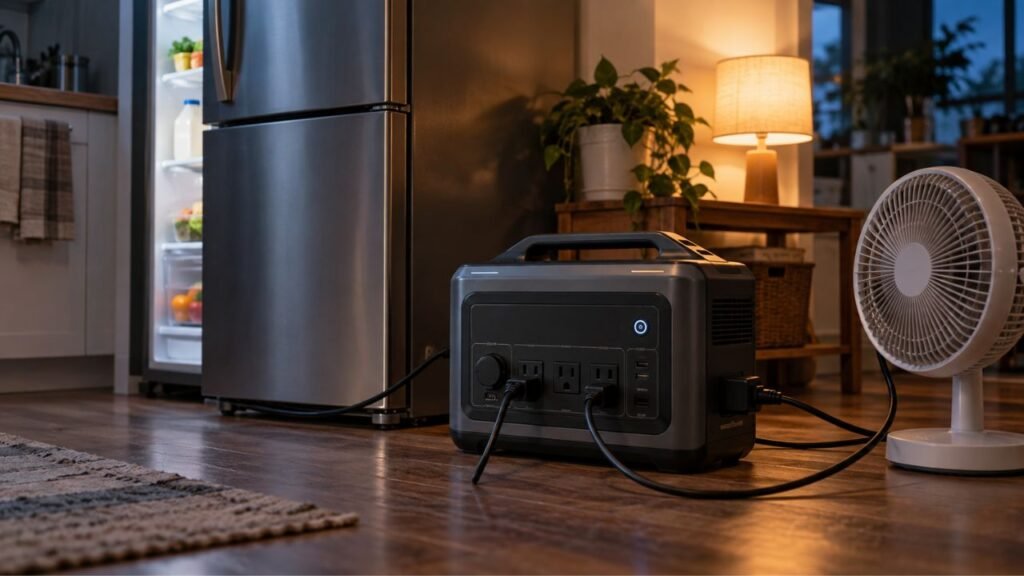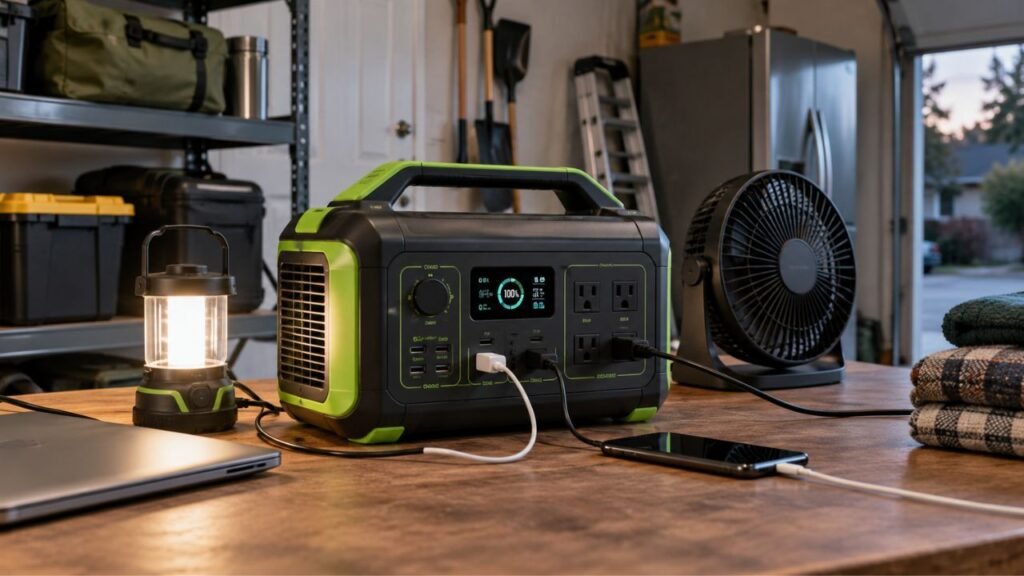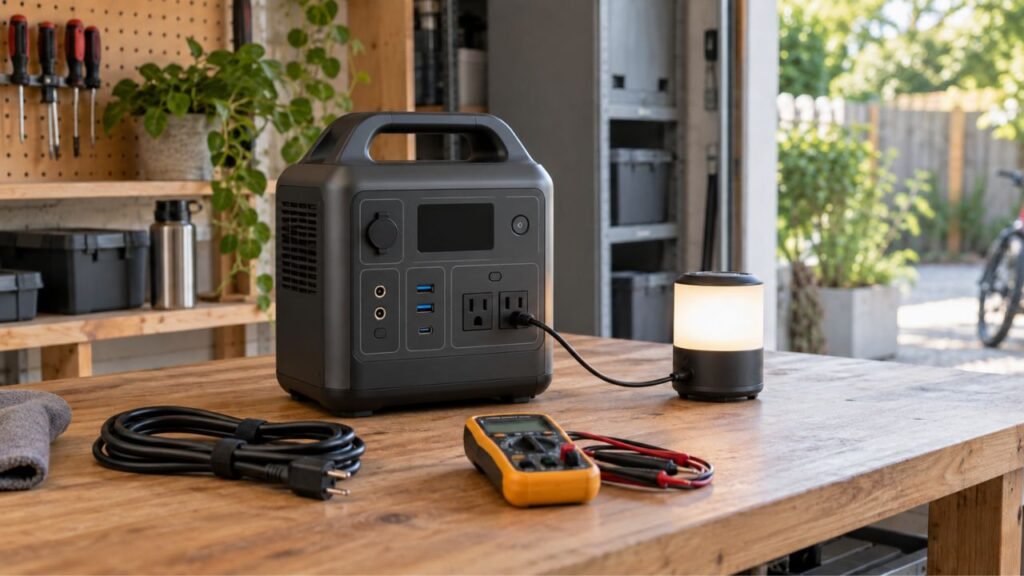
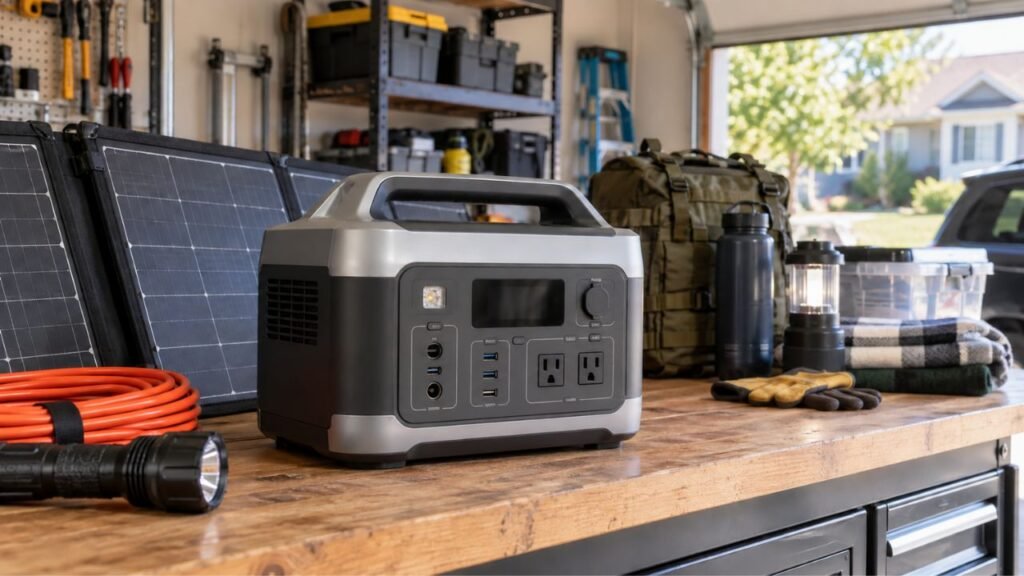
You create a portable power station backup plan by listing essential devices, checking their running and startup watts, calculating daily watt-hours, choosing a safe connection method, and planning how you will recharge the battery during longer outages.
A good plan also tells you which loads get priority. Below, I’ll walk you through sizing, runtime, connections, recharging, load management, safety, and testing your complete setup.
Key Takeaways
- Start with essential loads instead of powering your entire home.
- Watts determine which appliances your power station can run simultaneously.
- Watt-hours determine how long the stored battery energy can last.
- Refrigerators, pumps, and compressors may need extra startup power.
- Longer outages require a realistic plan for replacing consumed energy.
- Check whether any important appliance requires 240-volt power.
- Use proper transfer equipment for powering household electrical circuits.
- Test your complete backup setup before an actual power outage.
Step 1: Decide What You Actually Need During an Outage
Your first job is deciding what truly needs backup power. Trying to maintain normal household electricity can make the system unnecessarily large and expensive.
Priority 1: Critical and Safety-Related Loads
Start with equipment that protects food, safety, communication, or essential household functions.
Your list might include:
- Refrigerator
- Freezer
- Essential lighting
- Wi-Fi router and modem
- Phones
- Sump pump
- Well pump
- Security equipment
- Necessary medical equipment
Every household will have a slightly different priority list.
For example, someone with a basement sump pump may prioritize it immediately. Another household may care more about refrigeration during summer outages.
Avoid automatically adding every appliance you regularly use.
The goal is keeping essential household functions working safely.
Priority 2: Important Everyday Loads
Next, list equipment that makes an outage easier to manage.
This group may include:
- Laptop
- Television
- Additional lighting
- Fans
- Coffee maker
- Garage-door opener
- Small kitchen appliances
- Device chargers
Some of these devices use little energy. Others can consume considerable power despite running briefly.
A coffee maker may run for only several minutes. However, its instantaneous power demand can still be fairly high.
Priority 3: Comfort and High-Energy Loads
Finally, identify appliances that would be convenient but not essential.
These often include:
- Space heaters
- Electric water heaters
- Large air conditioners
- Electric ranges
- Clothes dryers
- Hair dryers
- Toasters
- Large cooking appliances
High-energy appliances can rapidly increase your required system size.
Electric resistance heating is especially demanding. A portable power station can technically run some heaters, but battery energy disappears quickly.
During longer outages, saving energy is usually more important.
Step 2: Build a Portable Power Station Load Worksheet
Once your priority list is ready, write down each device’s electrical requirements. This simple worksheet becomes the foundation of your entire backup plan.
| Device | Priority | Running Watts | Startup Watts | Hours Used Daily | Estimated Wh Daily | Voltage |
| Refrigerator | 1 | Check appliance | Check surge | Varies by cycling | Measure or estimate | Usually 120V |
| Router + modem | 1 | Check equipment | Minimal | Planned hours | Calculate | Usually 120V |
| LED lights | 1 | Check bulbs | Minimal | Planned hours | Calculate | 120V |
| Laptop | 2 | Check charger | Minimal | Planned hours | Calculate | 120V |
| Sump pump | 1 | Verify | Verify carefully | Varies | Estimate | Verify |
| Well pump | 1 | Verify | Verify carefully | Varies | Estimate | Often varies |
| Television | 2 | Check label | Minimal | Planned hours | Calculate | 120V |
Do not depend entirely on generic online appliance-wattage charts. They are useful for rough planning, but your actual equipment matters more.
Where Do You Find Appliance Wattage?
Start by checking the appliance label or nameplate.
You can also check:
- Owner’s manual
- Manufacturer specifications
- Power adapter label
- Appliance documentation
- Plug-in electricity meter
A plug-in meter is especially helpful for refrigerators and freezers.
Those appliances cycle on and off instead of drawing their rated wattage continuously.
Suppose a refrigerator draws 150 watts while its compressor operates. That does not necessarily mean it consumes 150 watts every hour.
Measuring actual energy use provides a much better runtime estimate.
Why Startup Watts Matter
Some appliances briefly require more power while starting.
Common examples include:
- Refrigerators
- Freezers
- Sump pumps
- Well pumps
- Air conditioners
- Compressors
- Motor-driven tools
Suppose your refrigerator normally draws 180 watts.
Its compressor might briefly demand several times that amount when starting.
Your power station’s inverter must handle that temporary demand.
Otherwise, the station may overload or shut its AC output down.
Startup wattage mainly affects power capability, while operating time mainly affects battery capacity.
That distinction is important when building your backup plan.
Step 3: Calculate How Much Battery Capacity You Need
Now you can estimate how much stored energy your household needs. Battery capacity is normally shown in watt-hours, abbreviated as Wh.
Calculate Each Device’s Watt-Hours
Use this basic formula:
Watts × operating hours = watt-hours
Suppose your planned daily usage looks like this:
- Router: 20W × 12 hours = 240Wh
- Laptop: 60W × 4 hours = 240Wh
- LED lights: 40W × 5 hours = 200Wh
- Television: 80W × 2 hours = 160Wh
Those four loads would require approximately:
240 + 240 + 200 + 160 = 840Wh
Now add your refrigerator and other essential equipment.
For cycling appliances, measured daily consumption is better than multiplying rated watts by 24 hours.
Account for Real-World Energy Losses
A 2,000Wh power station does not necessarily deliver exactly 2,000Wh through its AC outlets.
Some energy is consumed by:
- Inverter conversion
- Internal electronics
- Battery management
- Cooling fans
- Standby operation
- Wiring losses
- Temperature-related effects
Available energy also depends on the specific model and operating conditions.
Therefore, avoid sizing your system so tightly that every calculated watt-hour must be available.
Give yourself some breathing room.
Add an Emergency Reserve
Your backup plan should not depend on reaching exactly zero percent battery.
Leave some reserve for unexpected situations.
Your refrigerator might run more frequently during hot weather.
Someone may need to charge another phone.
An outage may last six hours longer than expected.
A pump could operate more often during a storm.
Battery performance may also change with temperature and age.
Building extra capacity into your plan makes these situations easier.
Step 4: Choose the Outage Duration You Want to Cover
Battery size means very little without a target outage duration. A station that handles several hours may be completely unsuitable overnight.
| Outage Scenario | Main Planning Goal | Recharge Importance |
| A few hours | Maintain essential loads | Low |
| Overnight | Protect food, communications, and lighting | Moderate |
| Around 24 hours | Carefully manage stored energy | High |
| Multiple days | Balance consumption with recharging | Essential |
For a short outage, stored battery capacity may handle everything.
For a multi-day outage, the strategy changes completely.
You eventually need to replace the energy you consume.
Suppose your essential loads consume about 1,500Wh every day.
If your system only recovers 500Wh daily, your stored energy continues shrinking.
Eventually, the battery reaches its minimum charge level.
That is why longer-outage planning requires both storage and recharging.
Step 5: Make Sure the Inverter Can Handle Your Loads
Battery capacity tells you how much energy you have available. Inverter output determines how much power you can use simultaneously.
Check Continuous Output
Add the wattage of appliances that may operate together.
Imagine these devices are running simultaneously:
- Refrigerator: 180W
- Router: 20W
- Lights: 40W
- Laptop: 65W
- Television: 80W
The combined running load would be approximately:
385 watts
That is well within many portable power stations.
However, adding a 1,500W cooking appliance changes the situation dramatically.
The combined load could suddenly approach 1,900 watts.
Your station must support the combined simultaneous load.
Check Startup Surge Capacity
Now consider what happens when the refrigerator compressor starts.
It may briefly demand much more power.
That startup could happen while another appliance is already running.
Your backup plan should therefore consider the worst reasonable overlapping load.
Do not simply compare one appliance against the inverter rating.
Think about what could be operating when another device starts.
Check Individual Outlet Limits
The station’s total AC output rating is not always the only limitation.
Individual outlets, USB ports, DC outputs, or special connectors may have separate limits.
Check your power station manual before finalizing your plan.
This is especially important with high-demand appliances.
Step 6: Check Whether You Need 120V or 240V Backup Power
Voltage becomes important when your backup list includes larger household equipment. Most basic portable power stations provide standard 120V AC output.
Most Basic Backup Loads Are 120V
Common 120V equipment includes many:
- Refrigerators
- Freezers
- Televisions
- Routers
- Computers
- Lamps
- Phone chargers
- Small kitchen appliances
These are often easier to include in portable backup plans.
You can usually plug them directly into compatible power stations.
Some Household Loads Require 240V
Certain larger appliances may require 240V.
Examples can include some:
- Well pumps
- Central air conditioners
- Water heaters
- Electric dryers
- Electric ranges
- HVAC equipment
- Workshop equipment
Never assume the voltage from the appliance category alone.
Check the equipment nameplate or owner’s manual.
Do Not Assume Every Large Power Station Provides 240V
A large battery capacity does not automatically mean 240V output.
A power station could store several thousand watt-hours while providing only 120V AC.
Some larger systems support true 120/240V split-phase output.
Others require manufacturer-approved paired units or accessories.
Never improvise connections to create higher voltage yourself.
If 240V is essential, choose equipment specifically designed for it.
Step 7: Decide How You Will Connect the Power Station
Your connection method should be decided before the outage begins. The safest choice depends on how much of your home needs backup power.
Option 1: Plug Essential Devices Directly Into the Power Station
Direct connection is the simplest portable setup.
You can place the station near essential appliances and connect them appropriately.
This works especially well for:
- Refrigerator
- Router
- Laptop
- Television
- Lamps
- Phone chargers
If extension cords are required, use properly rated cords.
Avoid damaged cords or undersized household extension cables.
Keep power-station ventilation openings unobstructed during operation.
Option 2: Use Compatible Transfer Equipment for Selected Circuits
Larger backup systems can sometimes supply selected household circuits.
This may allow you to power things like:
- Refrigerator circuit
- Selected lighting circuits
- Internet equipment
- Certain outlets
- Compatible pumps
A transfer switch or other approved transfer equipment keeps backup power separated from utility power.
Home electrical connections should be properly designed and installed.
A licensed electrician should handle installations involving household wiring.
Option 3: Use a Compatible Smart Home Backup System
Some larger portable systems support dedicated home-backup panels.
These systems can manage selected circuits automatically or manually.
They may also help you prioritize household loads.
This approach can make outages much easier to manage.
However, equipment compatibility and installation requirements vary considerably.
Follow the manufacturer’s approved configuration.
Never Backfeed Power Through a Household Outlet
Never try powering your house through a normal wall receptacle.
Improvised backfeeding can energize wiring in dangerous ways.
It can expose utility workers and household occupants to serious electrical hazards.
Use only approved connection equipment designed for backup power.
Step 8: Create a Recharging Plan Before the Battery Runs Empty
Storage gets you through the beginning of an outage. Recharging determines how long your backup plan can continue afterward.
AC Wall Charging Before an Outage
The easiest strategy is starting with a charged power station.
Before severe weather or planned electrical work, check your battery level.
Recharge it according to the manufacturer’s recommendations.
Also confirm that expansion batteries are ready.
Having an enormous system means little if it begins half-empty.
Solar Charging During an Extended Outage
Solar panels can extend your backup time significantly.
However, solar production is rarely equal to the panel’s advertised rating all day.
Actual production depends on:
- Sunlight intensity
- Cloud cover
- Shade
- Panel angle
- Season
- Temperature
- Available daylight
- Charge-controller limits
- Power-station solar-input limits
Suppose you own 800 watts of solar panels.
That does not mean you receive exactly 800 watts continuously.
Production usually changes throughout the day.
Your plan should use realistic energy expectations.
Vehicle or Alternator Charging
Some portable power stations support vehicle or alternator charging.
This can provide another useful energy source during extended outages.
However, charging speeds and compatibility vary significantly.
Use only the charging method approved for your station.
Do not improvise electrical connections to your vehicle.
Charging From a Fuel Generator
A fuel generator can also recharge some power stations.
This creates a useful hybrid backup strategy.
For example, you could operate the generator briefly to recharge batteries.
Then you can shut the generator down and use quieter battery power.
Remember that fuel generators create carbon monoxide.
They must be operated outdoors according to proper safety requirements.
A battery power station and fuel generator have very different ventilation rules.
Calculate Your Daily Energy Balance
For long outages, compare energy consumption against energy recovery.
Suppose you consume:
1,600Wh per day
Now suppose your solar setup realistically returns:
1,300Wh per day
You are still losing approximately:
300Wh daily
That difference eventually drains the battery.
A sustainable long-term plan tries to keep daily recovered energy close to, or above, daily consumption.
If that is impossible, reduce your daily loads.
Step 9: Decide Which Loads Run Continuously and Which Run Only When Needed
Running every appliance whenever you want can waste stored energy quickly. A simple load-management strategy can dramatically extend runtime.
- Keep necessary communication equipment powered when required.
- Run high-wattage cooking appliances only for short periods.
- Avoid using multiple high-power appliances simultaneously.
- Reduce unnecessary refrigerator and freezer door opening.
- Turn off lights in rooms nobody is using.
- Shut down televisions and computers when unnecessary.
- Use efficient USB-C or DC connections when appropriate.
- Delay comfort appliances when battery reserves are getting low.
- Keep a minimum reserve for essential overnight loads.
- Run optional appliances during strong solar production when possible.
- Recharge devices during daytime instead of draining overnight reserves.
Think of your battery as a limited daily energy budget.
Spend that budget where it matters most.
Step 10: Prepare the Power Station and Accessories Before an Outage
Your backup system should be ready before the utility fails. Searching for missing cables during a blackout makes everything harder.
Keep the following items organized:
- Portable power station
- Expansion batteries
- AC charging cable
- Solar charging cables
- Required adapters
- Compatible solar panels
- Proper extension cords
- Phone charging cables
- Laptop chargers
- Flashlights
- Backup lights
- Appliance load worksheet
- Printed power-station instructions
- Transfer-switch operating instructions
- Necessary communication equipment
- Spare approved fuses when applicable
- Emergency contact information
Store everything somewhere accessible.
Do not bury essential cables behind boxes in the garage.
Check your station’s storage temperature requirements as well.
Step 11: Test the Entire Backup Plan Before You Need It
Calculations are useful, but real testing tells you whether the plan works. Try the complete setup while normal utility electricity is still available.
Perform a Real Load Test
Connect the appliances you actually plan to use.
Watch the station’s display or app while they operate.
Pay attention to:
- Output watts
- Battery percentage
- Estimated runtime
- Startup surges
- Fan operation
- Error messages
- Overload warnings
- Unusual heat
Try running realistic combinations of appliances.
For example, operate your refrigerator, router, lights, and laptop together.
Then test any short-duration high-wattage appliance separately.
Test Your Recharging Method
Do not assume unopened solar panels will work perfectly during an emergency.
Set them up beforehand.
Verify:
- Cable compatibility
- Connector compatibility
- Solar input voltage
- Solar input wattage
- Actual charging power
- Panel placement
- Setup time
This also teaches you how much solar energy to expect.
Test Your Home Connection Procedure
If you have professionally installed transfer equipment, learn the approved operating procedure.
Every household member responsible for backup power should understand it.
Keep written instructions nearby.
Do not wait until darkness or severe weather to learn the process.
Write Down What You Learn
Your first real-world test may reveal unexpected problems.
Perhaps the refrigerator consumes more energy than expected.
Maybe your solar panels recover less energy than planned.
You might discover two appliances create an overload when operating together.
Update the written plan using those results.
Create a Simple Outage Operating Schedule
A basic operating schedule prevents unnecessary battery drain. You do not need to follow exact times, but priorities should remain clear.
| Period | Loads to Prioritize | Loads to Limit |
| Morning | Refrigeration, communication, brief food preparation | High-energy comfort loads |
| Daytime | Essentials plus solar recharging | Unnecessary simultaneous heavy loads |
| Evening | Lighting, internet, basic food preparation | Space heating and other heavy loads |
| Overnight | Critical continuous loads and refrigeration | Nonessential electronics |
During daylight, take advantage of available solar production when possible.
This can be a good time for charging phones and laptops.
If your solar input is strong, you might also run selected optional appliances.
Overnight, switch back to conservation mode.
Protect enough stored energy for essential loads until morning.
Make a Separate Plan for Medical or Life-Sustaining Equipment
Medical equipment needs a more careful backup strategy than ordinary household appliances.
Do not size essential medical backup using generic internet wattage estimates.
Check the equipment’s official instructions and confirm:
- Required voltage
- Normal power consumption
- Startup requirements
- Internal battery duration
- Approved backup power methods
- Alarm behavior
- Battery replacement needs
- Required accessories
- What happens after complete power loss
Talk with the device manufacturer or healthcare provider when necessary.
You should also have another plan if your portable station becomes unavailable.
That might involve additional batteries, another approved power source, transportation, or an emergency location with reliable electricity.
Medical backup should never depend on one optimistic runtime calculation.
Understand the Difference Between Portable Backup and Permanent Home Integration
A portable power station sitting inside your home is different from permanently integrating battery equipment into the household electrical system. Understanding that distinction helps you avoid unsafe assumptions.
Portable Power Station Use
Normal portable use usually means plugging appliances into the station itself.
The station provides built-in:
- AC outlets
- USB ports
- DC outputs
- Battery management
- Inverter protection
This is generally the simplest form of portable backup.
The equipment remains portable and separate from permanent home wiring.
Stationary Home Energy Storage Integration
A permanent home battery installation is different.
Once equipment becomes integrated into household electrical systems, additional electrical and installation requirements can apply.
Home integration may involve:
- Transfer equipment
- Electrical panels
- Dedicated circuits
- Disconnect equipment
- Permits
- Inspection requirements
- Applicable electrical and fire codes
Do not assume that because a battery is safe as a portable device, every permanent installation method is automatically acceptable.
Use equipment according to its intended application.
Common Portable Power Station Backup Planning Mistakes
A few planning mistakes can turn an otherwise capable station into an unreliable backup system.
- Buying based only on battery watt-hours
- Ignoring the inverter’s continuous output rating
- Forgetting appliance startup surges
- Assuming every household appliance uses 120V
- Trying to run every appliance simultaneously
- Treating rated capacity as guaranteed usable AC energy
- Depending on ideal solar-panel output calculations
- Having no backup recharging method
- Waiting until an outage to test solar panels
- Ignoring individual outlet limits
- Using unsafe improvised home connections
- Forgetting cold-weather performance changes
- Spending battery energy on unnecessary resistance heating
- Leaving no emergency battery reserve
- Using generic wattage estimates for critical medical equipment
- Buying equipment before defining essential loads
- Assuming estimated runtime displays are perfectly accurate
Avoiding these mistakes often matters more than buying a larger battery.
Example: Building a Portable Power Station Backup Plan for a Home
Here is a simplified example showing how the process comes together. The numbers are only examples, so always substitute your actual appliance measurements.
| Device | Priority | Example Power | Daily Use | Estimated Daily Energy |
| Refrigerator | 1 | Measured over time | Cycling | 1,000Wh |
| Router + modem | 1 | 20W | 12 hours | 240Wh |
| LED lights | 1 | 40W | 5 hours | 200Wh |
| Laptop | 2 | 60W | 3 hours | 180Wh |
| Phones | 1 | 20W combined | 2 hours | 40Wh |
| Television | 2 | 80W | 2 hours | 160Wh |
The estimated daily total becomes:
1,000 + 240 + 200 + 180 + 40 + 160 = 1,820Wh
Now the homeowner can build the rest of the plan.
1. Estimate Daily Energy Needs
The starting target is approximately 1,820Wh per day.
Real-world losses and uncertainty mean the system should have additional capacity.
2. Check Simultaneous Running Load
Imagine the refrigerator, router, lights, and laptop operate together.
Their combined running demand might remain relatively modest.
The homeowner still needs to account for refrigerator startup surge.
3. Decide the Required Outage Duration
Suppose the goal is approximately one full day.
The system needs enough practical usable capacity for that period.
A multi-day plan also requires daily recharging.
4. Maintain an Emergency Reserve
The homeowner may decide that part of the battery remains unavailable for optional loads.
That reserve protects refrigeration and communication needs.
5. Create a Recharging Strategy
Perhaps the household uses solar during daylight.
Another approved charging method can serve as backup during poor weather.
6. Decide the Connection Method
The refrigerator and router might plug directly into the station.
A professionally installed transfer system could make sense for selected circuits.
7. Create a Load-Rotation Strategy
The television might become optional during low battery conditions.
Laptop charging could happen during strong solar production.
High-wattage cooking appliances would be used only briefly.
That creates a complete backup plan instead of simply buying a large battery.
When Is a Portable Power Station Not Enough?
Portable power stations work extremely well for many essential-load plans. However, they are not automatically suitable for every household requirement.
You may need a larger solution when you want to support:
- Multiple large 240V appliances
- Central air conditioning for long periods
- Electric resistance heating
- Large electric water heaters
- High-demand well pumps
- Electric cooking throughout an extended outage
- Near-normal whole-home electricity consumption
- Several days without meaningful recharging
- Critical loads that cannot tolerate backup failure
In these situations, consider a professionally designed larger battery system, standby generator, hybrid backup arrangement, or expandable home-energy system.
The right solution depends on your actual household loads.
Do not force a portable power station into a role beyond its capabilities.
Final Words
Creating a reliable portable power station backup plan starts with priorities, not battery size.
Decide what absolutely needs electricity first.
Then calculate daily energy use, simultaneous wattage, startup surge, and required outage duration.
Next, choose safe connection and recharging methods.
Finally, test everything under realistic conditions before an emergency happens.
Once you have done that, your power station becomes much more useful.
You will know which devices get priority, how long they can operate, when to conserve energy, and how you will recharge when an outage continues longer than expected.
That is what turns a portable battery into a practical home backup plan.
Related FAQs
What Size Portable Power Station Do I Need for Home Backup?
The right size depends on your essential appliances, daily watt-hour consumption, simultaneous running watts, startup surges, and desired outage duration. Calculate your actual loads first instead of choosing capacity from household size alone.
How Many Watt-Hours Do I Need for a 24-Hour Power Outage?
Add the watt-hours consumed by every essential appliance over 24 hours, then allow additional capacity for conversion losses, unexpected usage, and reserve power. Actual requirements can vary significantly between households.
Can I Connect a Portable Power Station Directly to My House?
You can power individual appliances directly from compatible station outlets. Supplying household circuits requires properly designed transfer equipment or another manufacturer-approved home-backup connection installed according to applicable requirements.
Do I Need a Transfer Switch for a Portable Power Station?
You generally do not need one when appliances plug directly into the station. A transfer switch or approved equivalent becomes relevant when backup power supplies selected circuits through your home’s electrical system.
Can a Portable Power Station Run a Refrigerator Overnight?
Yes, many properly sized power stations can run a refrigerator overnight. Runtime depends on refrigerator energy consumption, compressor cycling, startup surge, battery capacity, inverter efficiency, temperature, and other connected loads.
Can Solar Panels Keep a Power Station Running During a Multi-Day Outage?
They can significantly extend runtime when daily solar energy replaces enough consumed battery energy. Weather, panel wattage, sunlight hours, shading, and the station’s maximum solar input determine actual recovery.
Should I Keep My Portable Power Station Fully Charged for Emergencies?
Keep it at an emergency-ready charge level while following the manufacturer’s storage recommendations. Some manufacturers recommend different long-term storage levels, so check the manual and periodically recharge the unit when needed.
Can a Portable Power Station Run a Sump Pump or Well Pump?
It can if the station supports the pump’s voltage, running wattage, and startup surge. Pumps can have demanding starting loads, so verify the pump nameplate and power-station specifications carefully.
Can You Use a Portable Power Station Indoors During an Outage?
Battery-based portable power stations can generally operate indoors when used according to manufacturer instructions and with proper ventilation around the unit. Fuel-burning generators must not be operated indoors.
How Often Should You Test Your Portable Power Station Backup Plan?
Test the system periodically and before expected severe weather. Check battery condition, cables, solar charging, appliance operation, startup surges, and actual runtime so problems are discovered before an emergency.

Warren Turner writes practical guides and reviews on generators, portable power stations, and battery backup systems. He focuses on real-world performance, everyday power needs, and helping readers choose dependable equipment without unnecessary complexity.